

TL;DR
1
Log in to Shopify
Access your account to start managing orders.
2
Go to Orders
Select Orders from the home menu to view all orders.
3
Filter Unfulfilled Orders
Use Open Filter to find new, unfulfilled orders.
4
Select an Order
Click on an order to view its details.
5
Manage Order Details
Review details, leave comments, and fulfill or cancel orders.
Let's Do It Together!
Step 1: Access Orders
Log in to your Shopify account.
Click on Orders under the home menu.
You will see a list of all your Shopify orders.
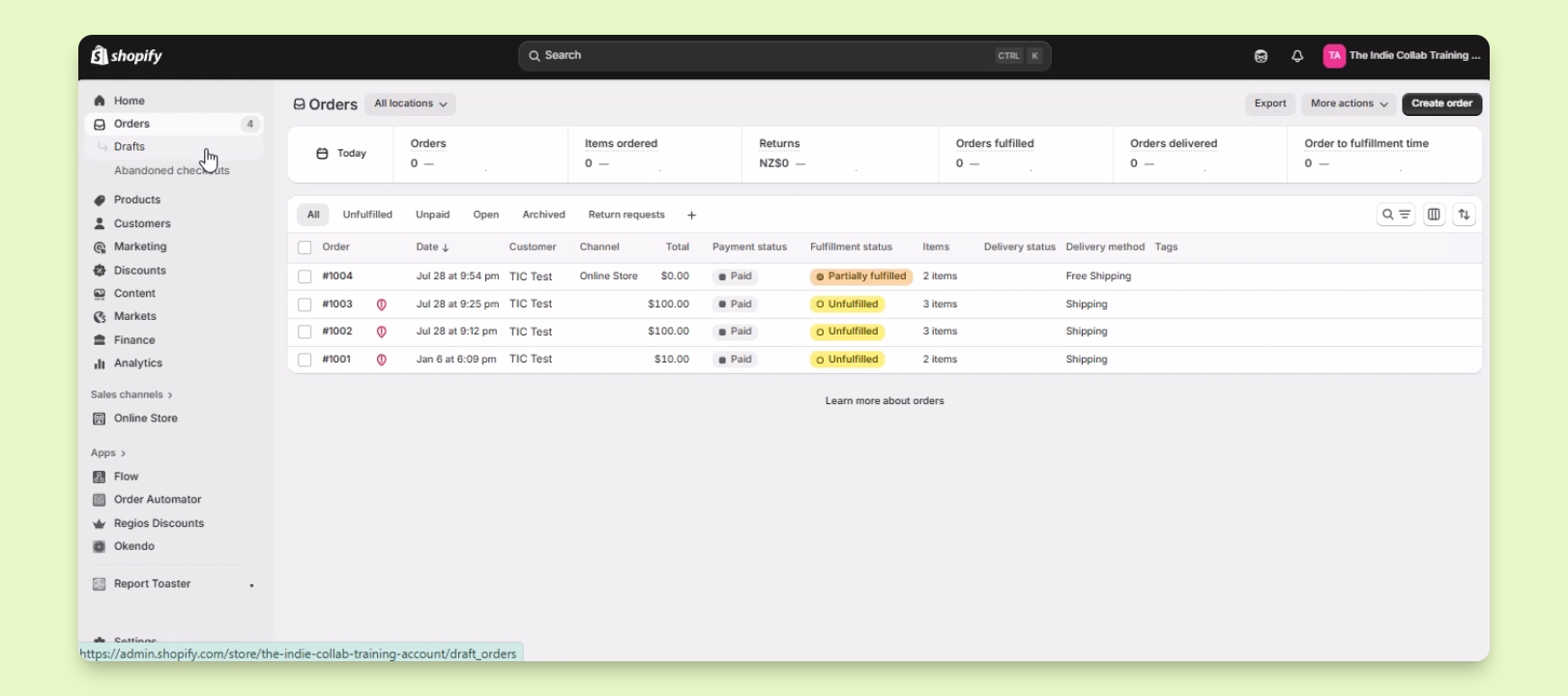
Step 2: Filter New Orders
Click on Open Filter to view unfulfilled orders.
This displays your new orders that need attention.
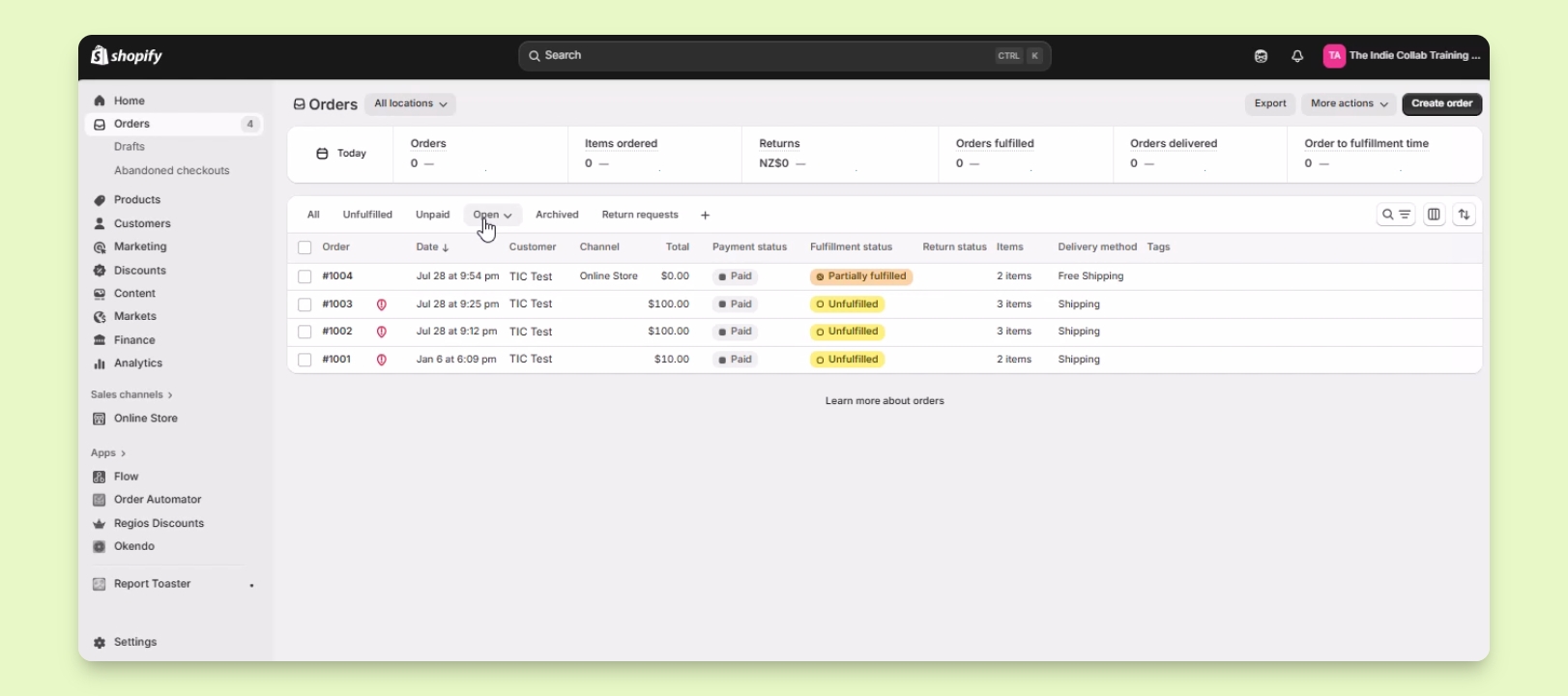
Step 3: Select an Order
Click on the order you wish to work on.
You will be directed to the order details page.
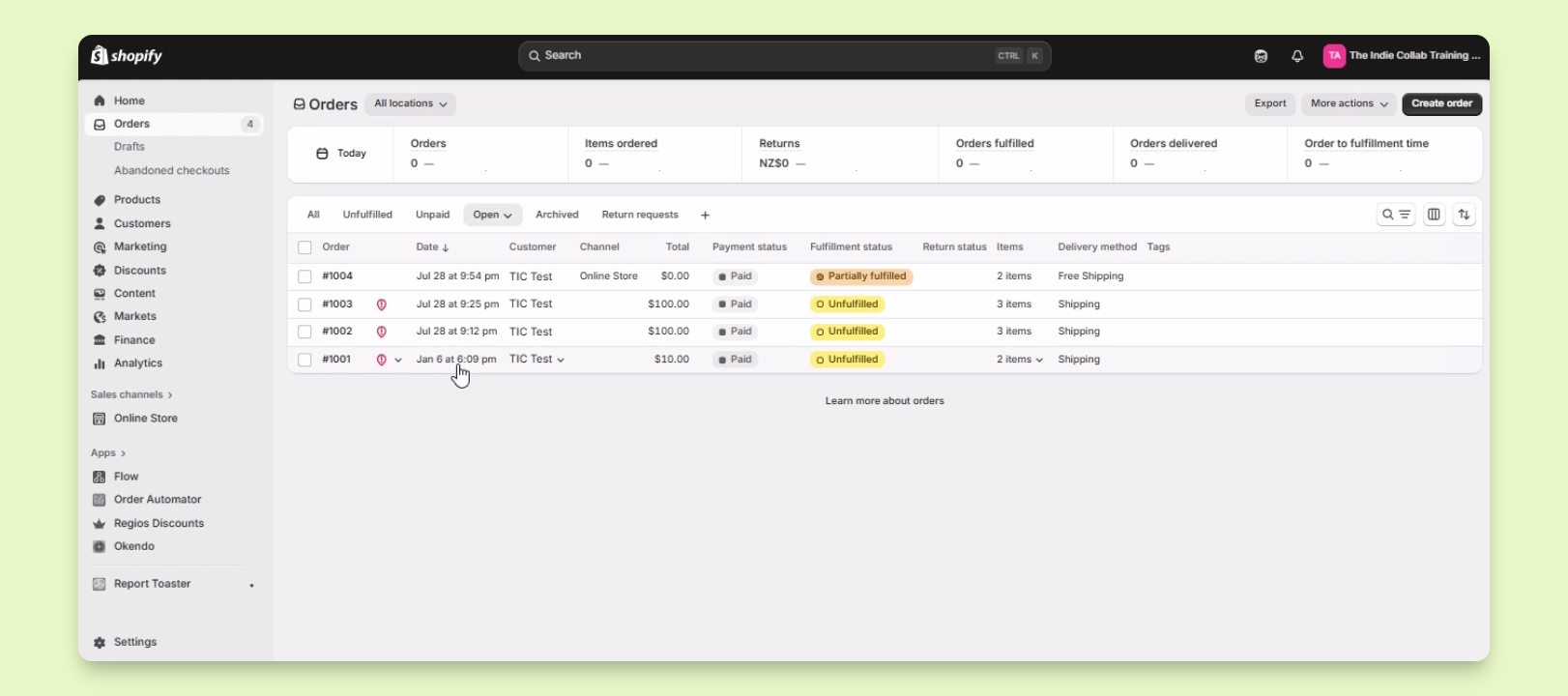
Step 4: Review Order Details
View items, customer details, and shipping address.
Leave comments or notes on the timeline provided.
Add tags to the order for better sorting.
All information can be updated without affecting the customer view.
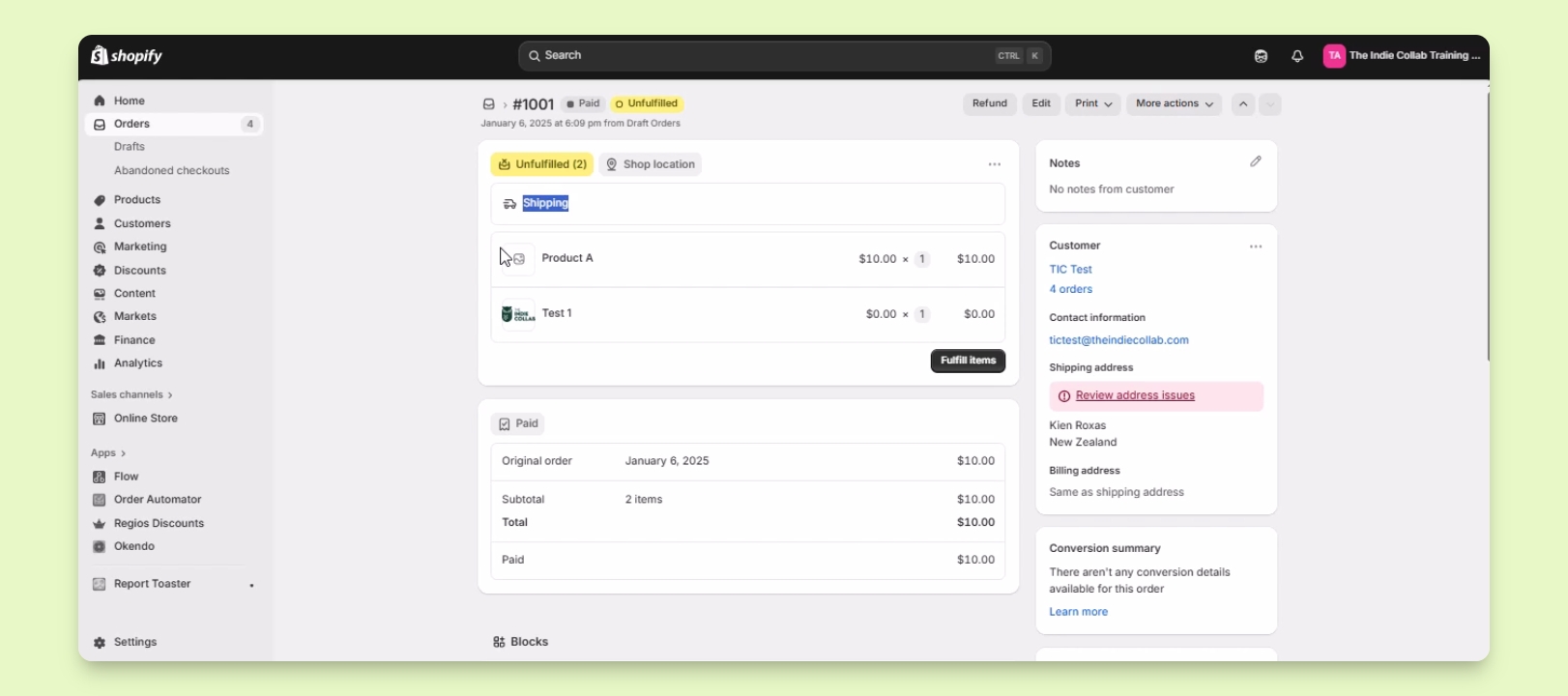
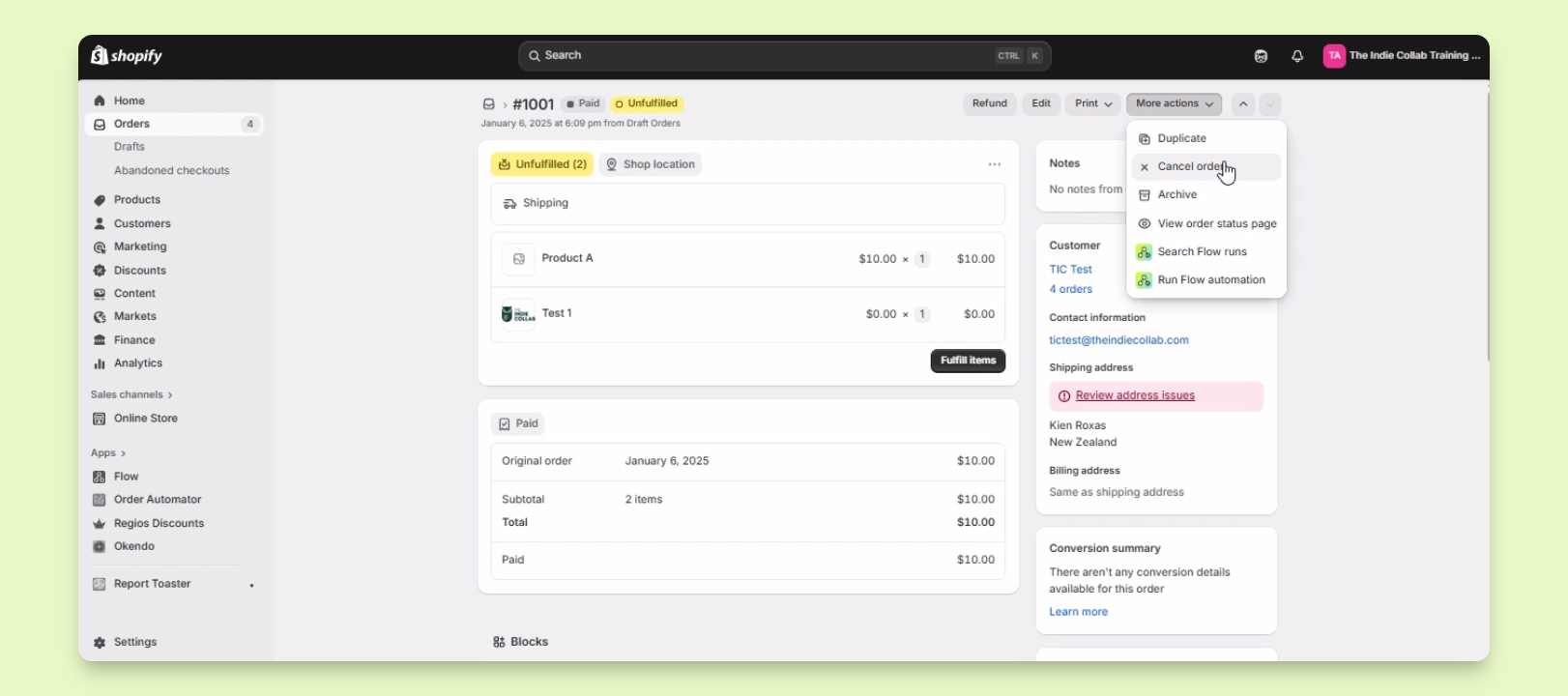
Step 5: Fulfill or Cancel Order
Click Fulfill items to process the order.
To cancel, select More actions and then Cancel order.
You have successfully managed the order as needed.
Troubleshooting
Unable to view orders
Ensure you are logged into the correct Shopify account.
Cannot fulfill items
Check if the order is marked as unfulfilled.
FAQ
How do I find my orders?
Log in and click on Orders under the home menu.
Can I cancel an order?
Yes, select More actions and click Cancel order.