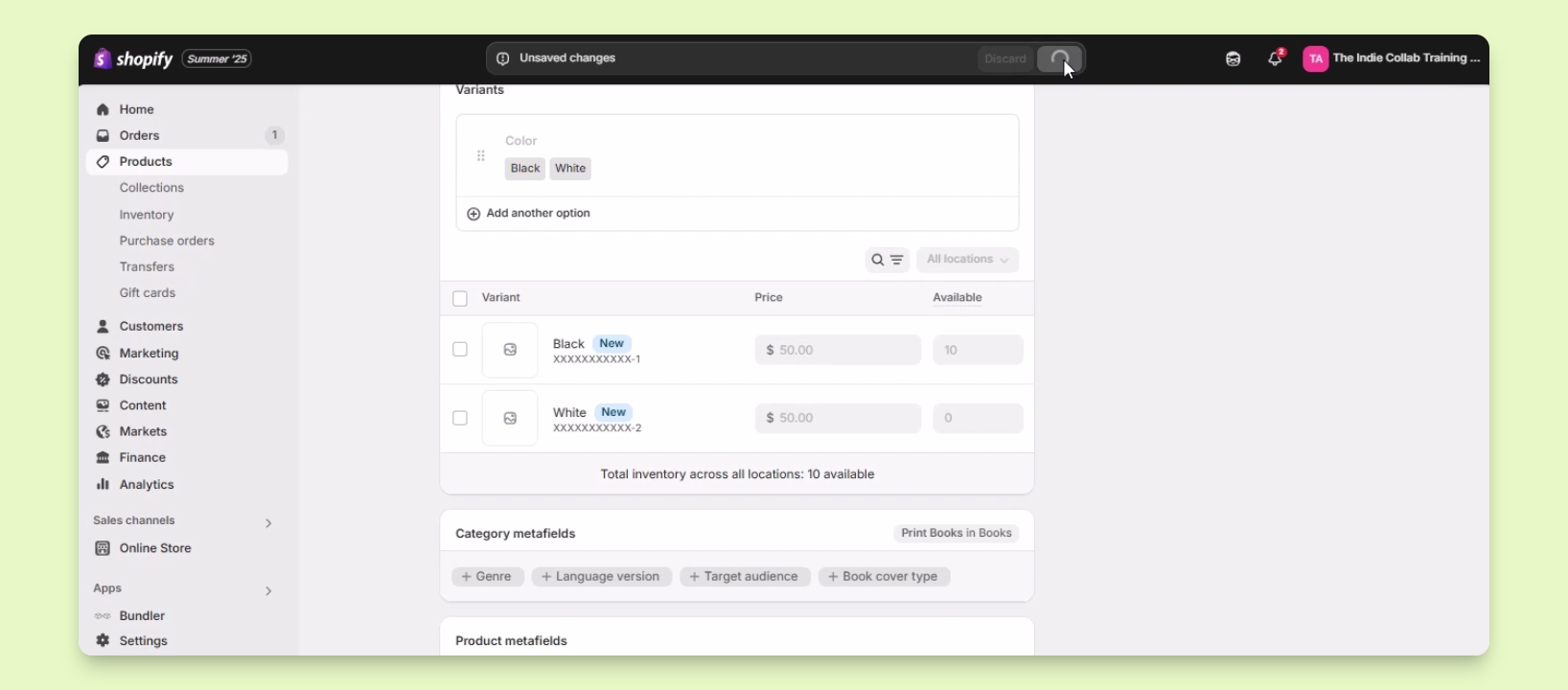

TL;DR
1
Log in and access product
Go to Products and select the product to edit.
2
Add variant options
Scroll to Variants and click Add options.
3
Enter option details
Define color options like Black and White.
4
Customize variants
Set images, prices, and inventory for each.
5
Save changes
Click Save to finalize your edits.
Let's Do It Together!
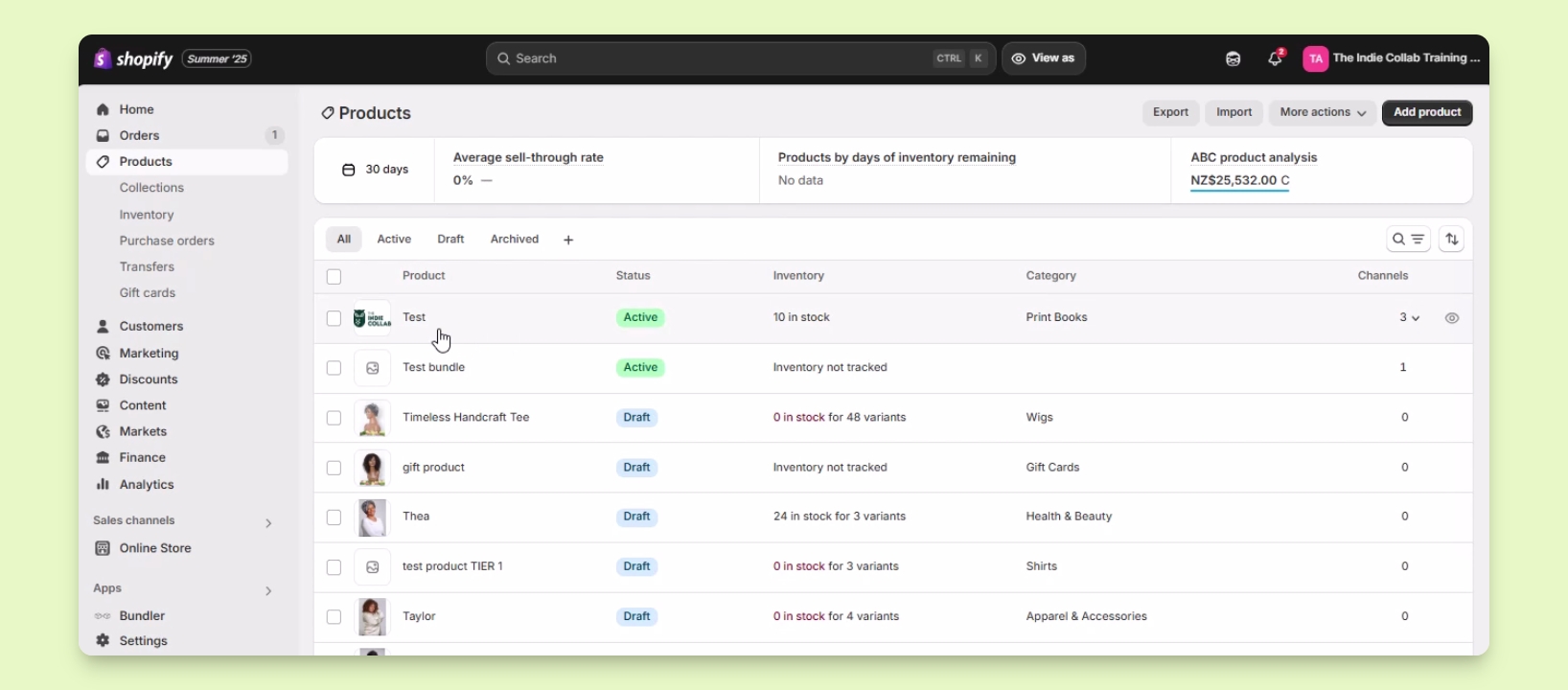
Step 1: Access the Product
Log in to your account.
Navigate to Products and locate the desired product.
Click on the product to open its details page.
Step 2: Add Variants
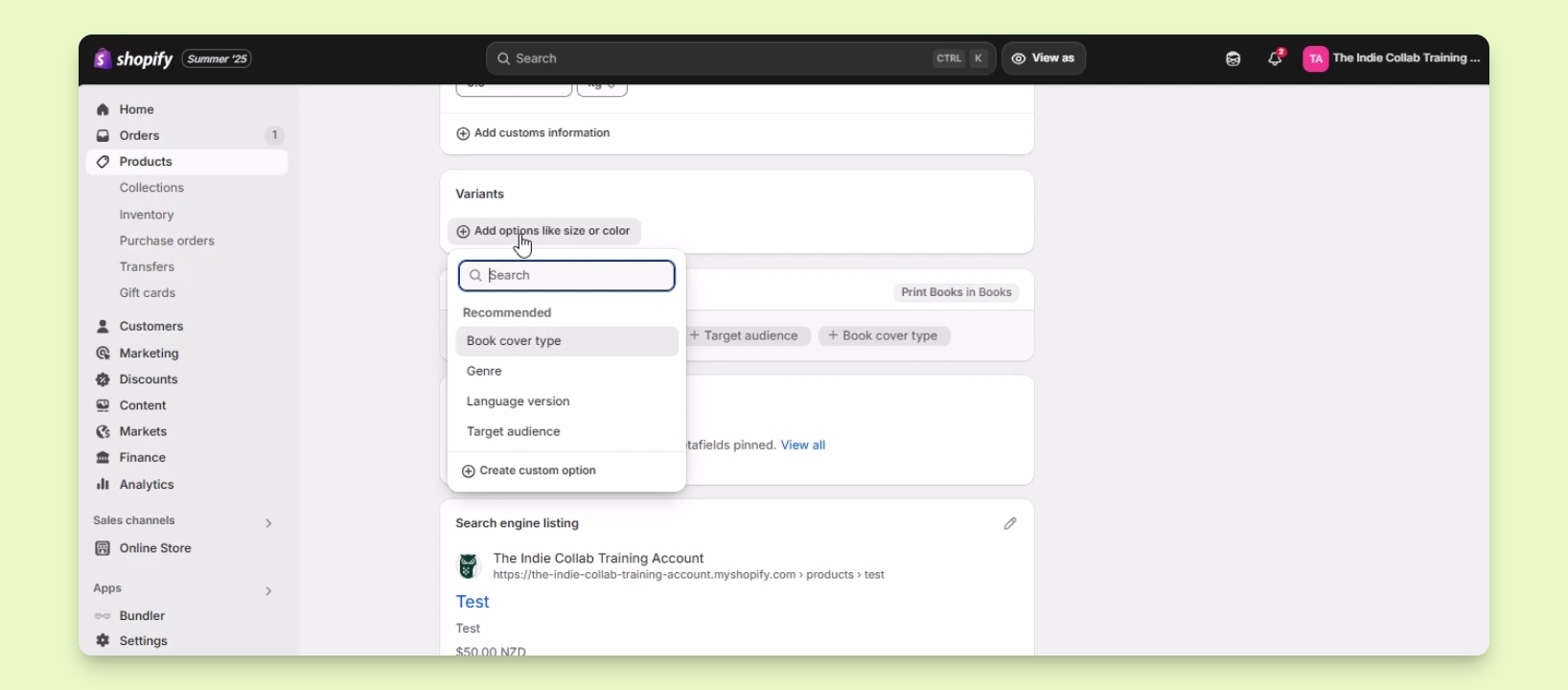
Scroll down to the Variant section.
Click the Add options button to see recommended options.
If needed, click on Create Custom option to add your own.
Step 3: Define Variant Options
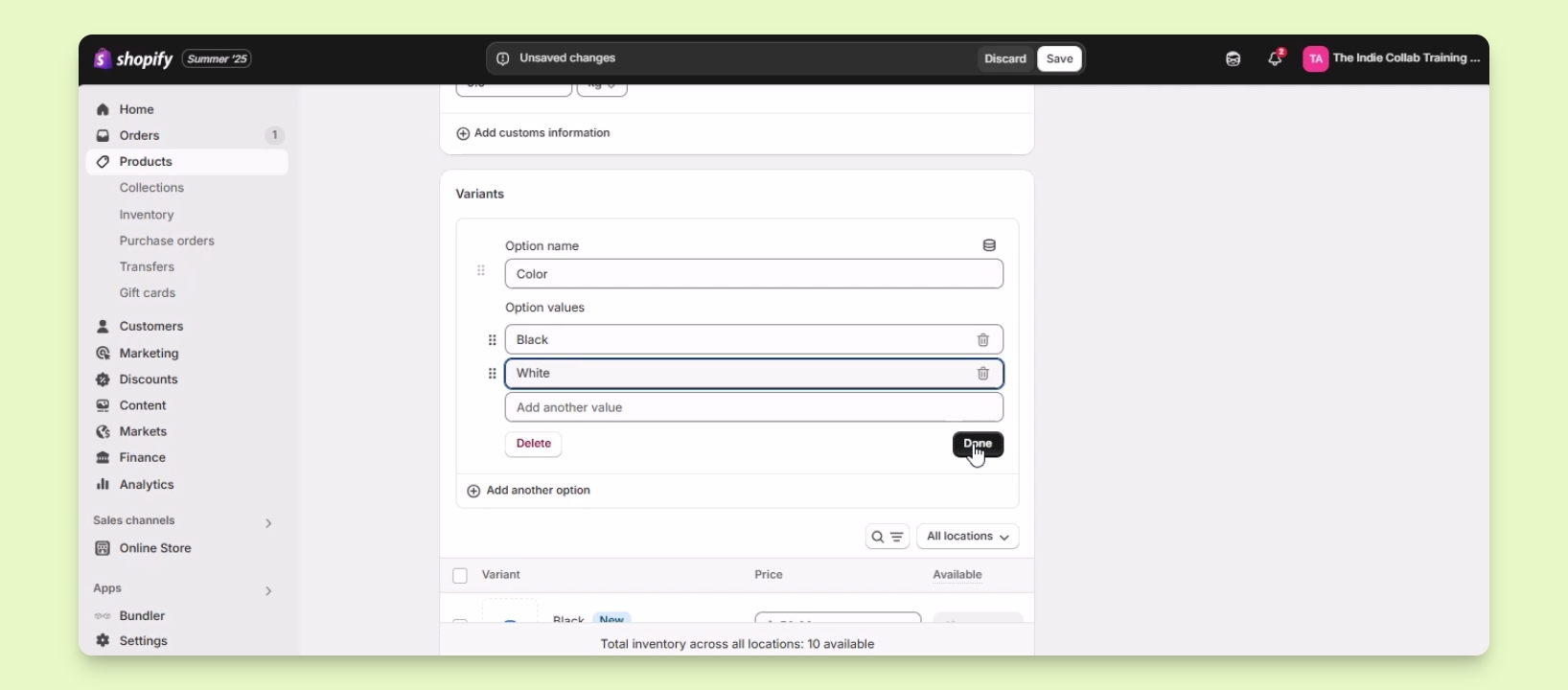
In the Option name field, enter Color.
In the Option values field, enter the available colors, e.g., Black and White.
Click the Done button once finished.
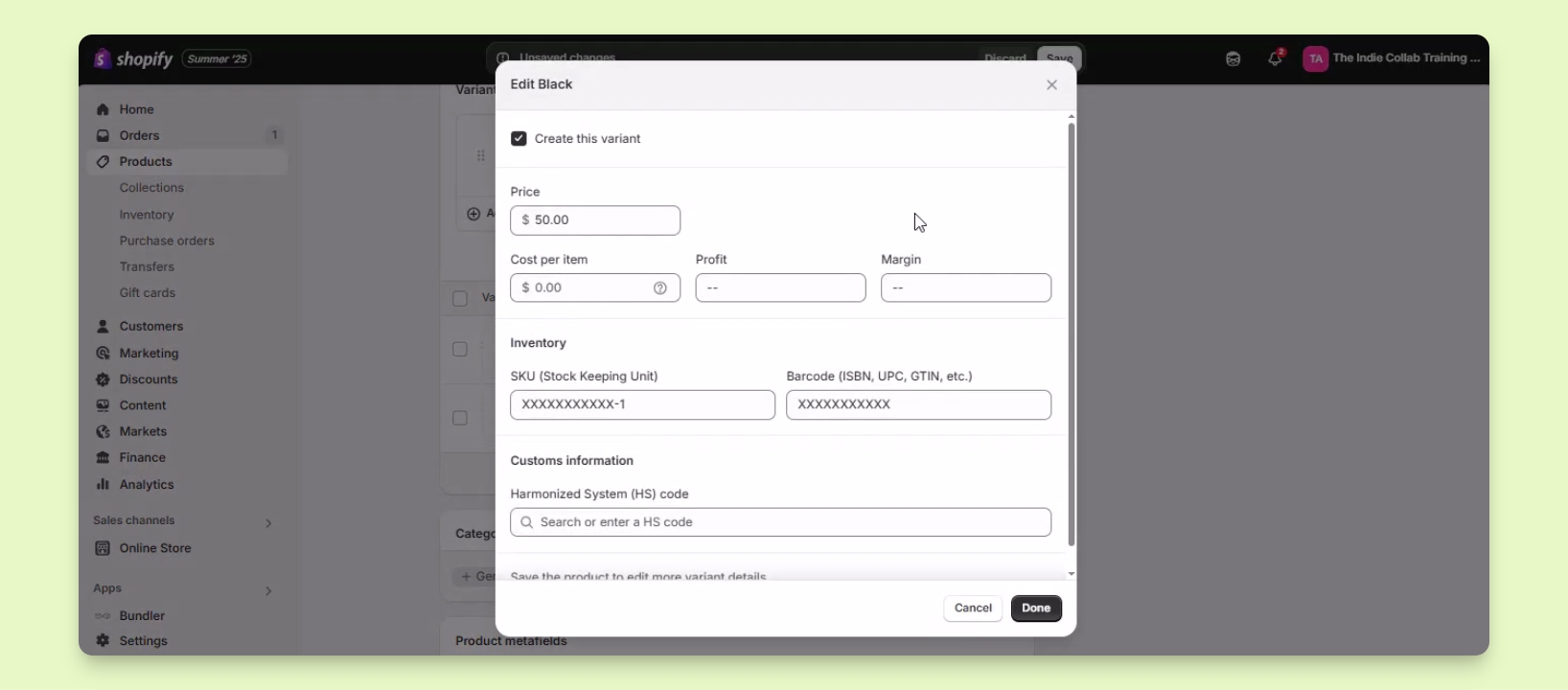
Step 4: Customize Each Variant
Set specific images, prices, and inventory for each variant.
Edit each variant individually by clicking on it.
A window will pop up allowing you to make changes.
Step 5: Save Your Changes
Click the Save button to apply your changes.