
TL;DR
1
Log in and access products
Click on Products and select the product to edit.
2
Upload or select media
Find the Media section and choose an image to add.
3
Save your changes
Click Save to ensure your media is added.
4
Optionally add via URL
Use a YouTube or Vimeo URL to add media.
Let's Do It Together!
Step 1: Access Product Settings
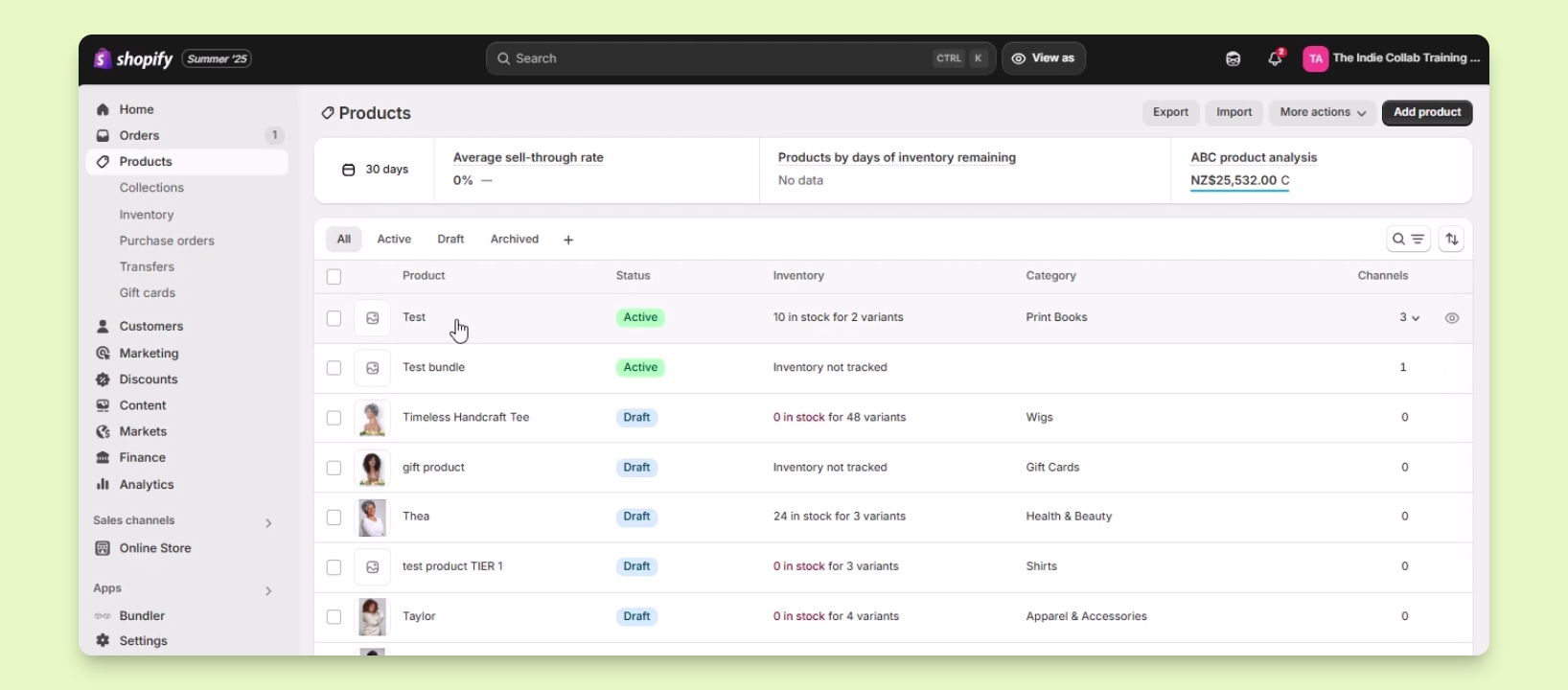
Log in to your Shopify account.
Click on Products in the menu.
Locate the product you want to edit from the list and click on it.
Step 2: Upload Media
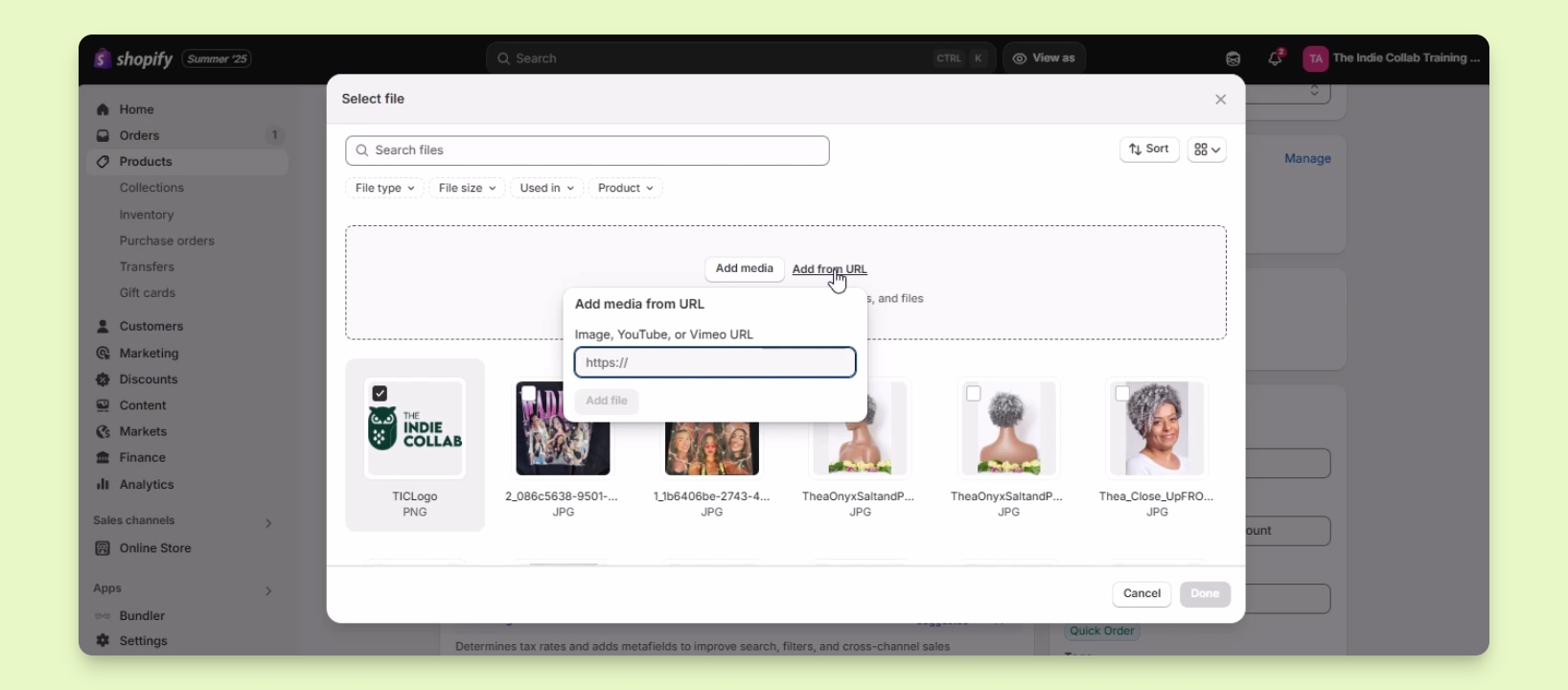
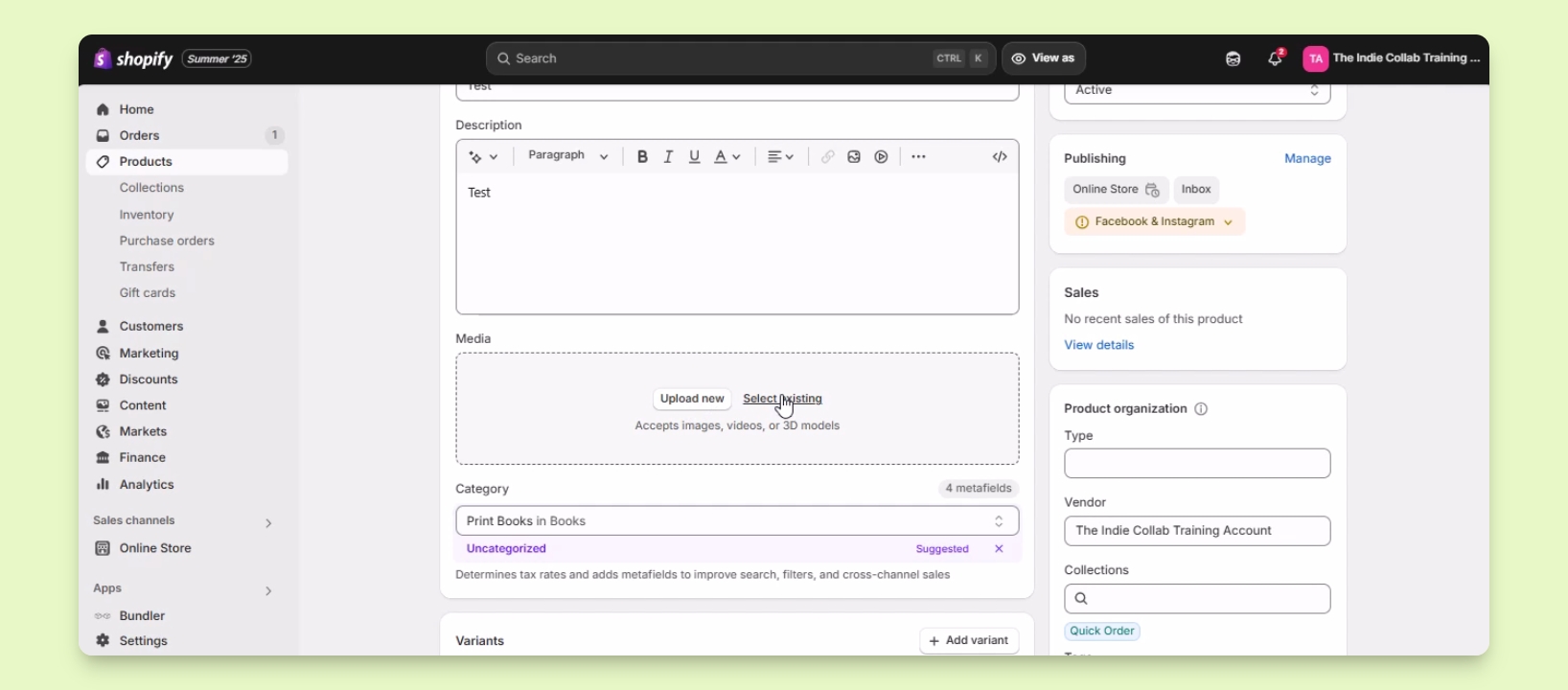
In the product detail settings, find the Media section.
Choose to upload a new file or select an existing image from your account.
Check the box beside the desired image and click Done.
Your selected image will now be added to the product media.
Step 3: Save Changes
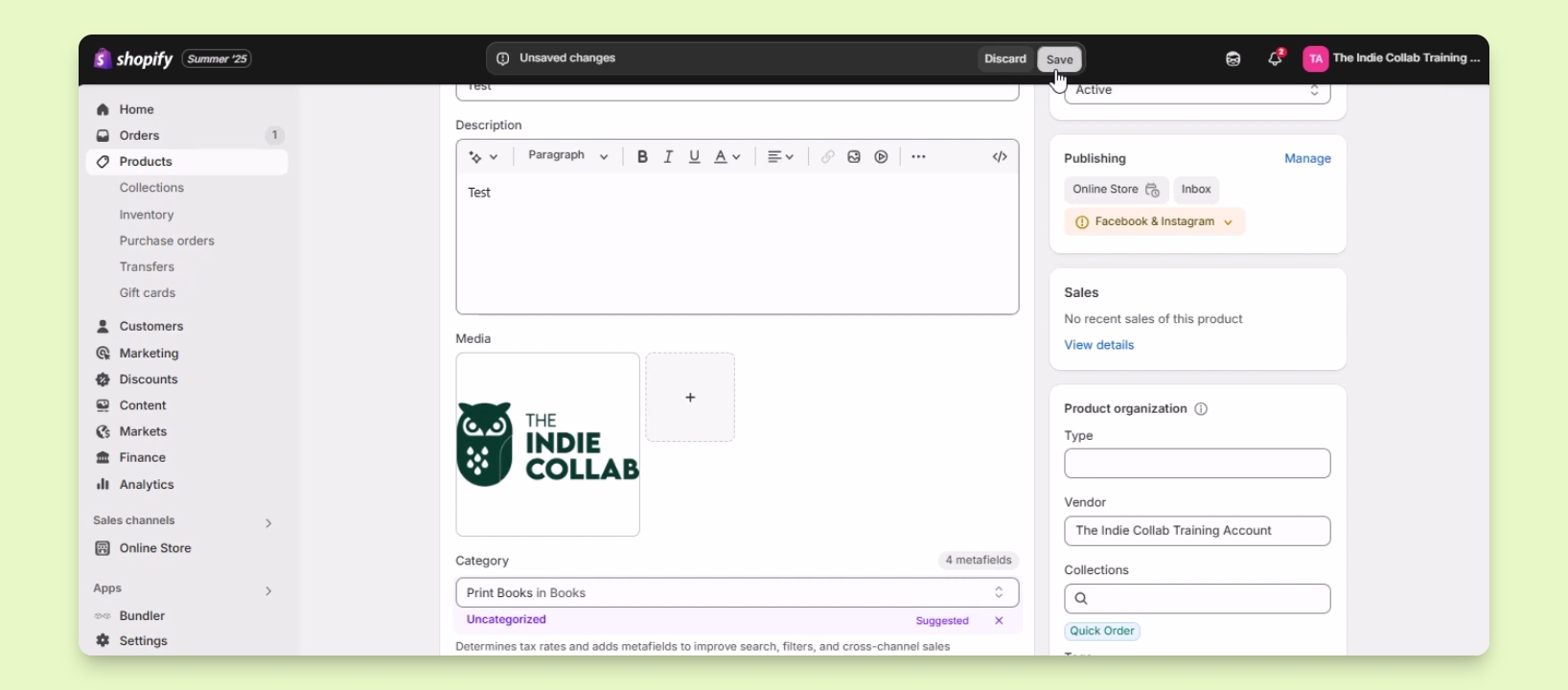
After adding the media, ensure to save the changes.
Your changes are now saved, showcasing the new product media.
Step 4: Add Media via URL (Optional)
You can also add media using a URL from platforms like YouTube or Vimeo.