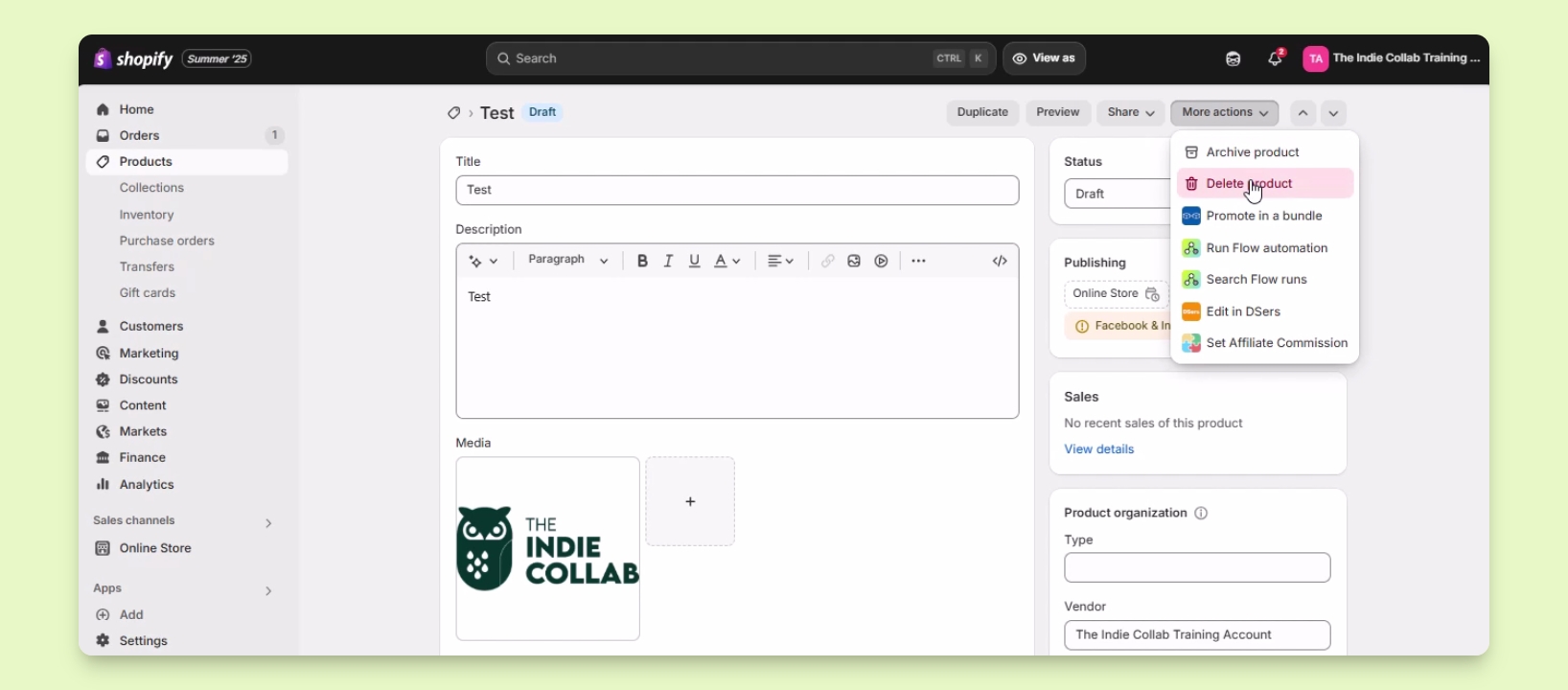

TL;DR
Let's Do It Together!
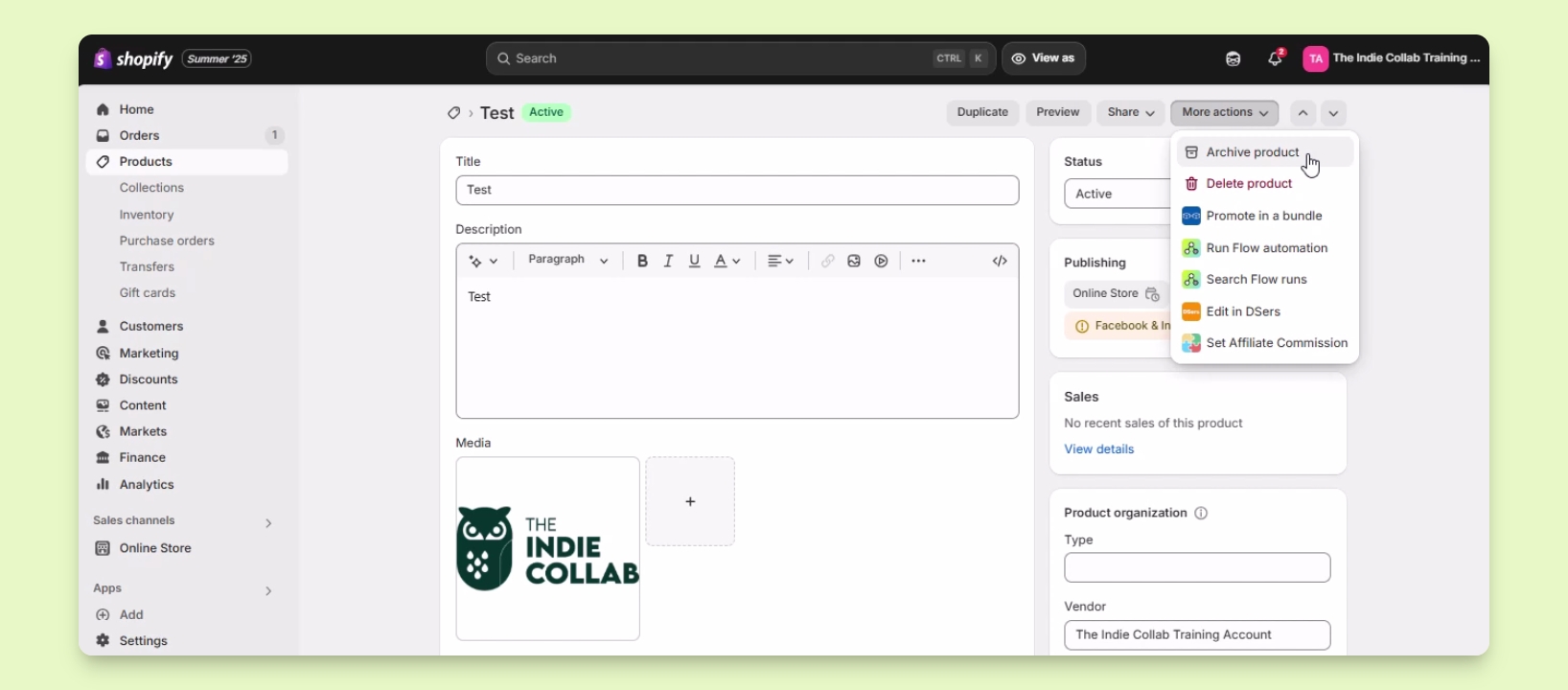
Step 1: Archive a Product
Click on Products in your Shopify dashboard.
Select the product you wish to archive, for example, test product.
In the Product settings, locate the More Actions button at the upper right and click on it.
From the dropdown, select Archive Product.
Confirm the action by clicking the Archive Product button in the pop-up.
The product is now archived and hidden from your website.
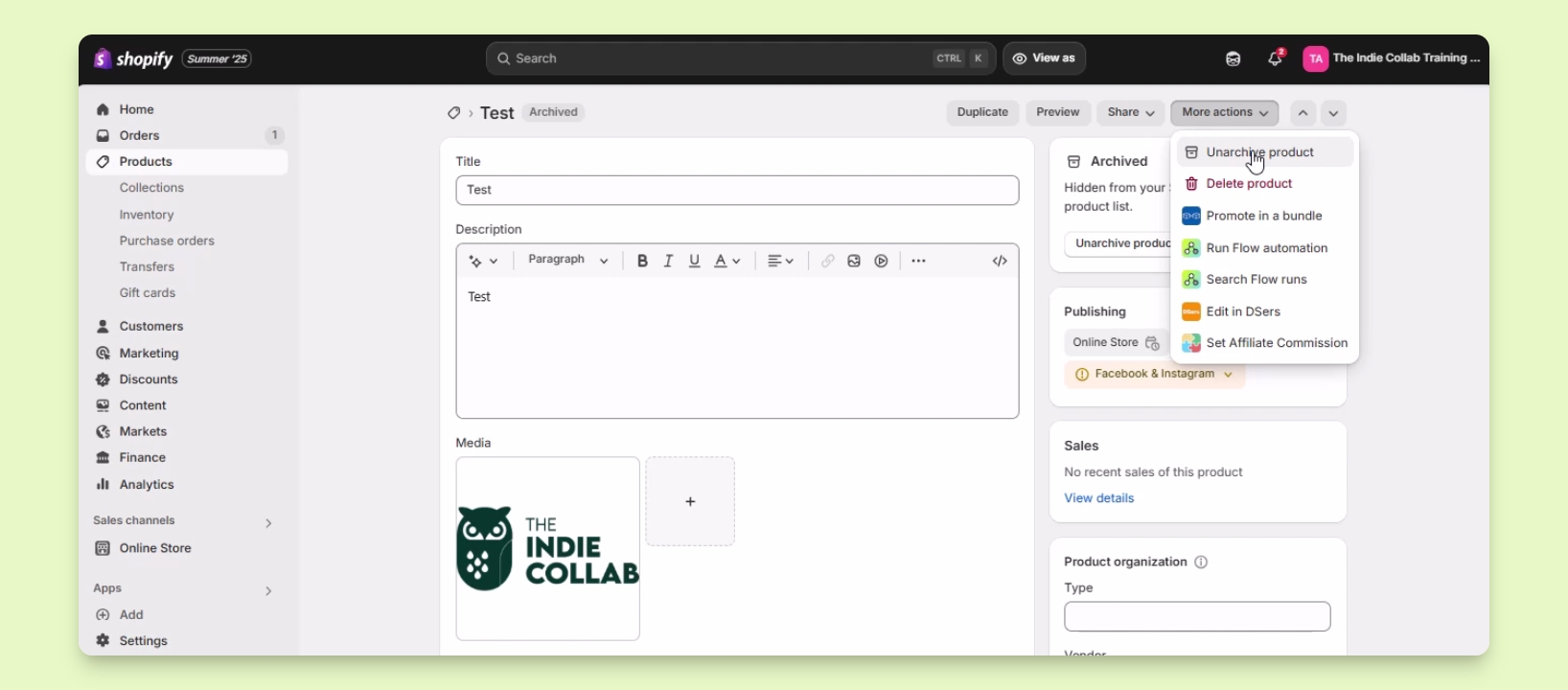
Step 2: Unarchive a Product
Go back to the archived product in your Shopify account.
Click on the More Actions button at the upper right.
Select Unarchive Product to restore it.
Step 3: Delete a Product
Click on the SIM button at the upper right.
Choose More Actions and select Delete Product.
Confirm your decision, remembering that deletion is permanent.
Any media associated with this product will also be deleted.
Click on the Delete Product button to finalize.
The product is now deleted from your Shopify account.