

TL;DR
1
Access Online Store
Log in and click on Online Store.
2
Select Theme
Find the theme you want to duplicate.
3
Duplicate Theme
Click the menu and select Duplicate.
4
Rename Duplicate
Give your duplicate a meaningful name.
Let's Do It Together!
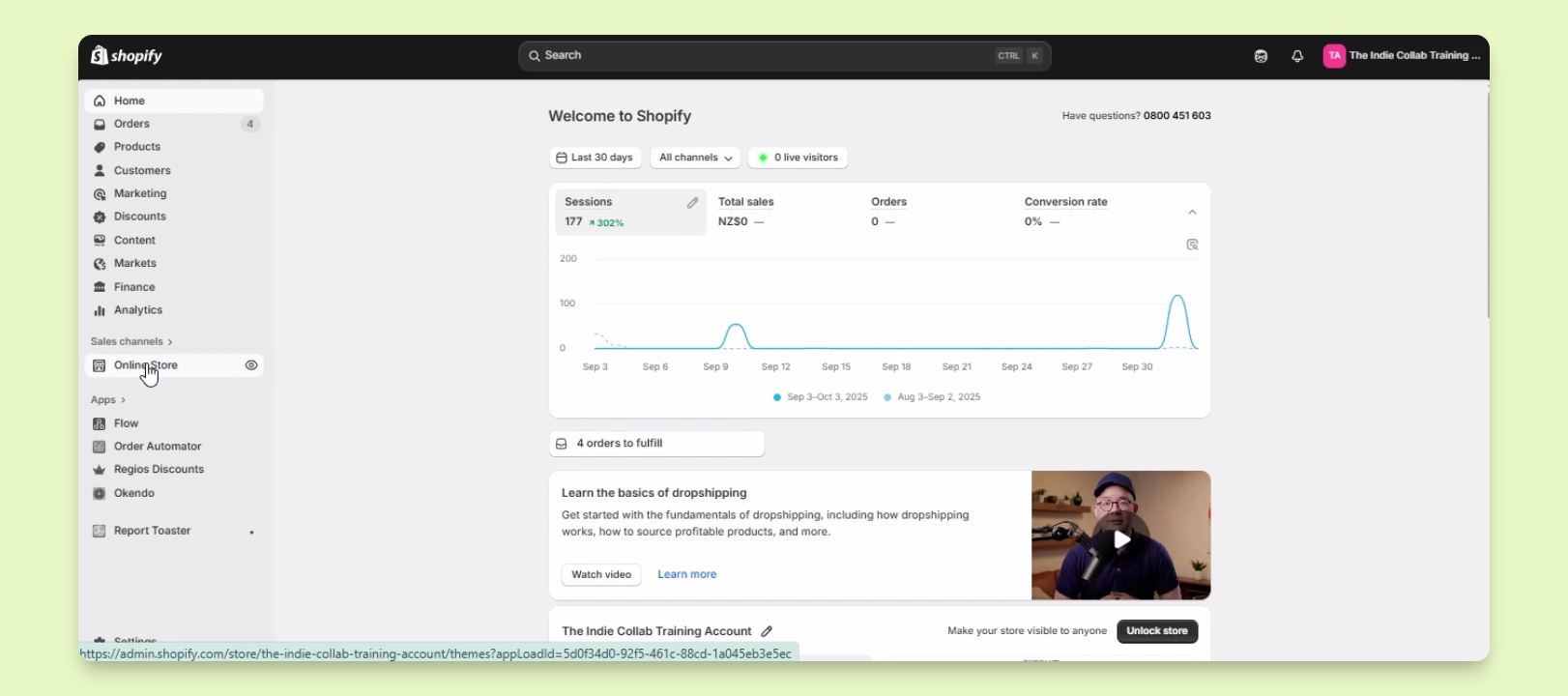
Step 1: Access the Online Store
Log in to your Shopify account.
Click on Online Store under the sales channels.
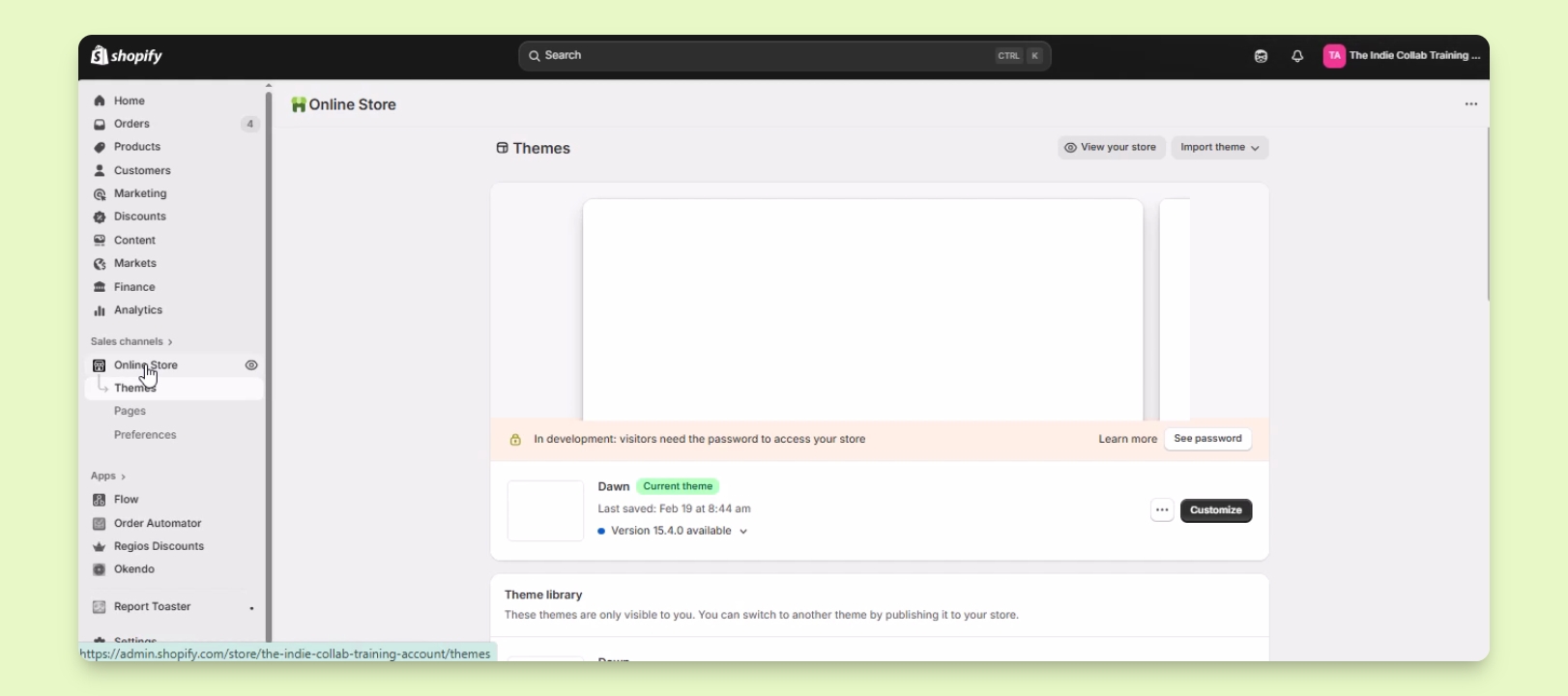
Step 2: Select Your Theme
Locate the theme you wish to backup or duplicate from the list of themes.
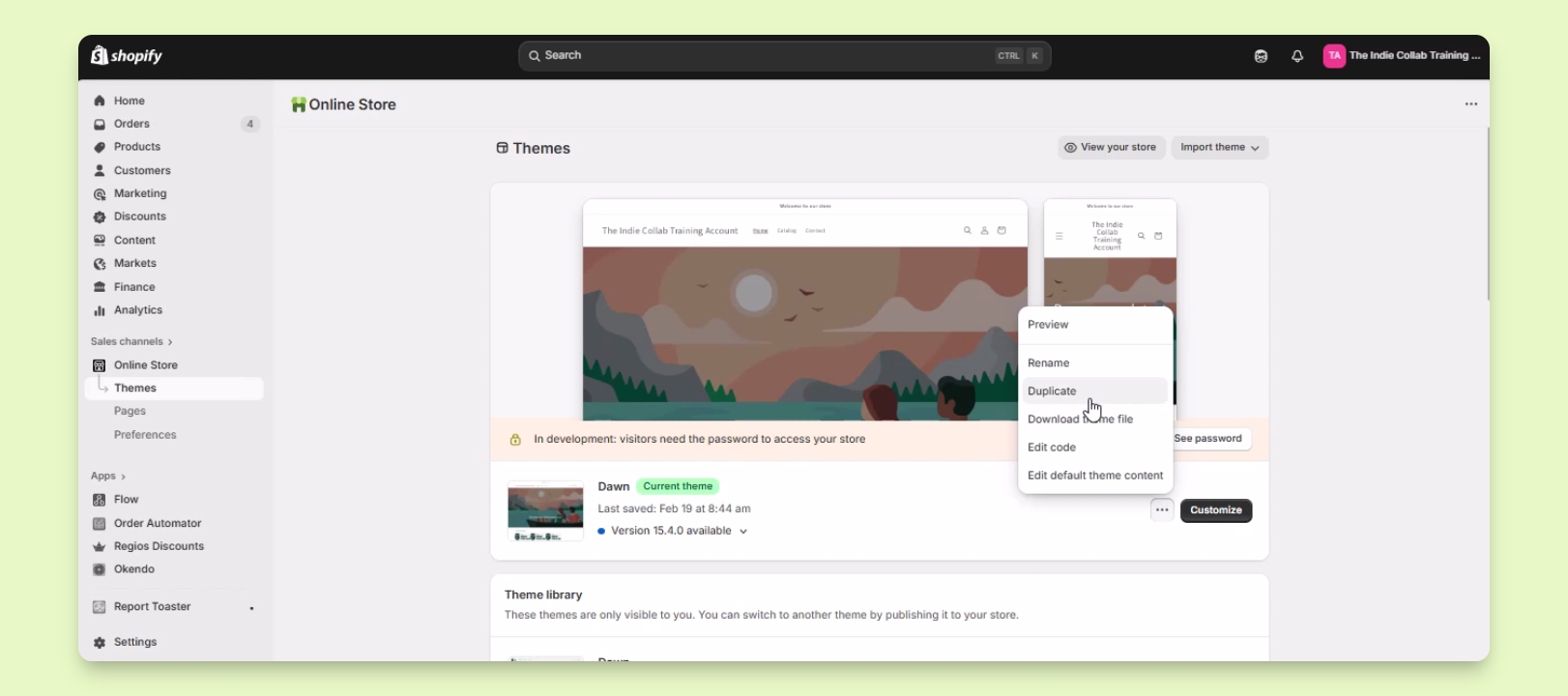
Step 3: Duplicate the Theme
Click on the three menu button next to the Customize button.
Select the Duplicate option from the menu.
Wait for the duplication process to complete.
You will now see a duplicate copy of your live theme.
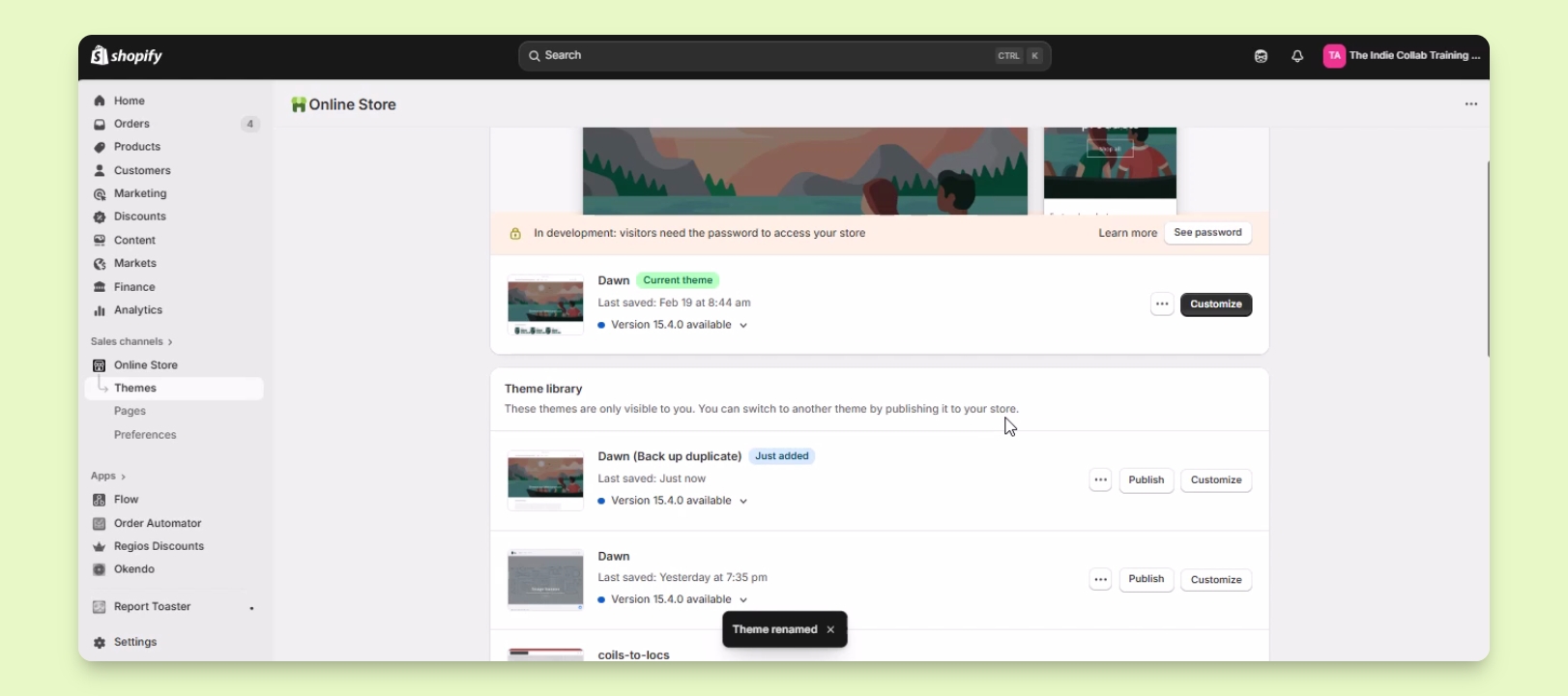
Step 4: Rename the Duplicate Theme
Rename the duplicate theme for easy identification.
For example, name it Done Backup Duplicate.
Your duplicate theme is now ready for customization without affecting the live version.
Troubleshooting
Theme not duplicating
Check your internet connection and try again.
FAQ
Can I duplicate any theme?
Yes, you can duplicate any theme you have.
Will the duplicate theme affect my live store?
No, the duplicate is separate and will not affect the live store.