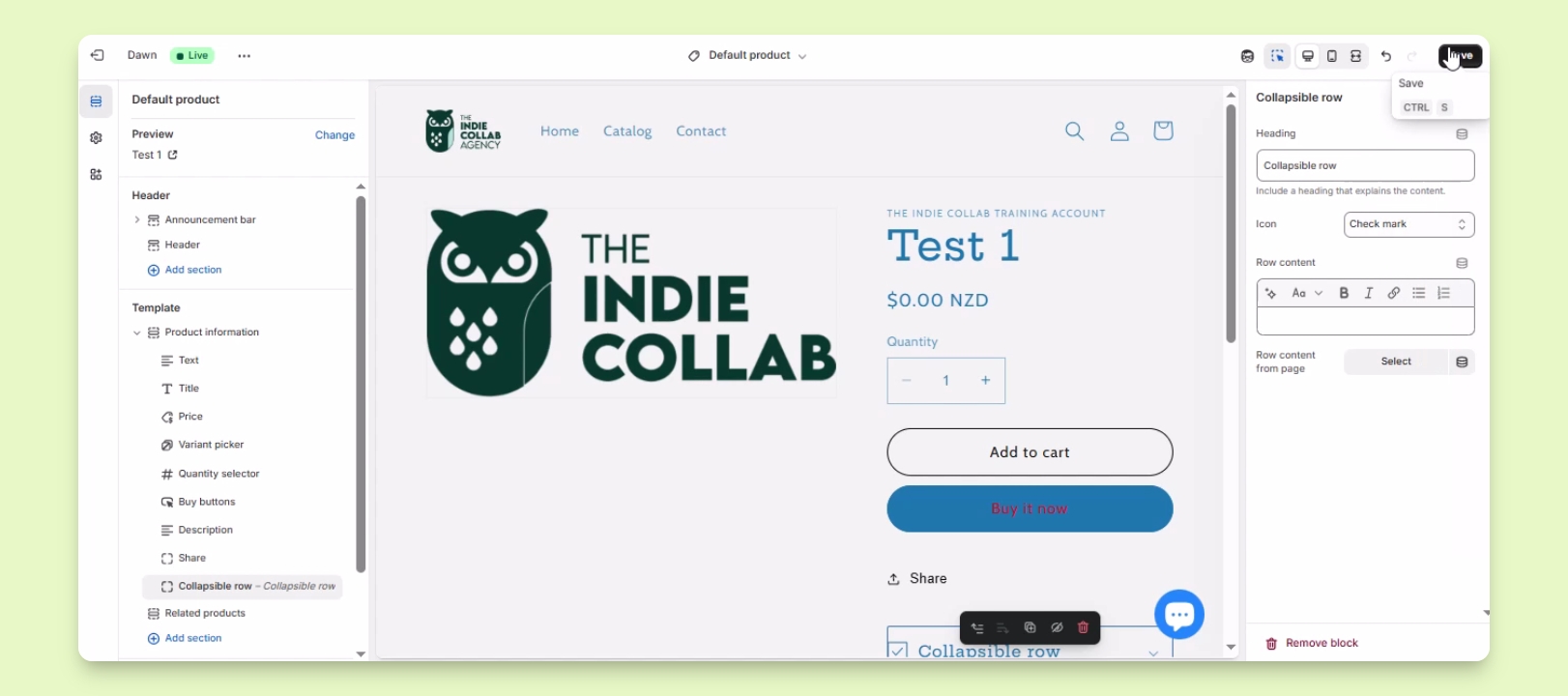

TL;DR
Let's Do It Together!
Step 1: Access Theme Customization
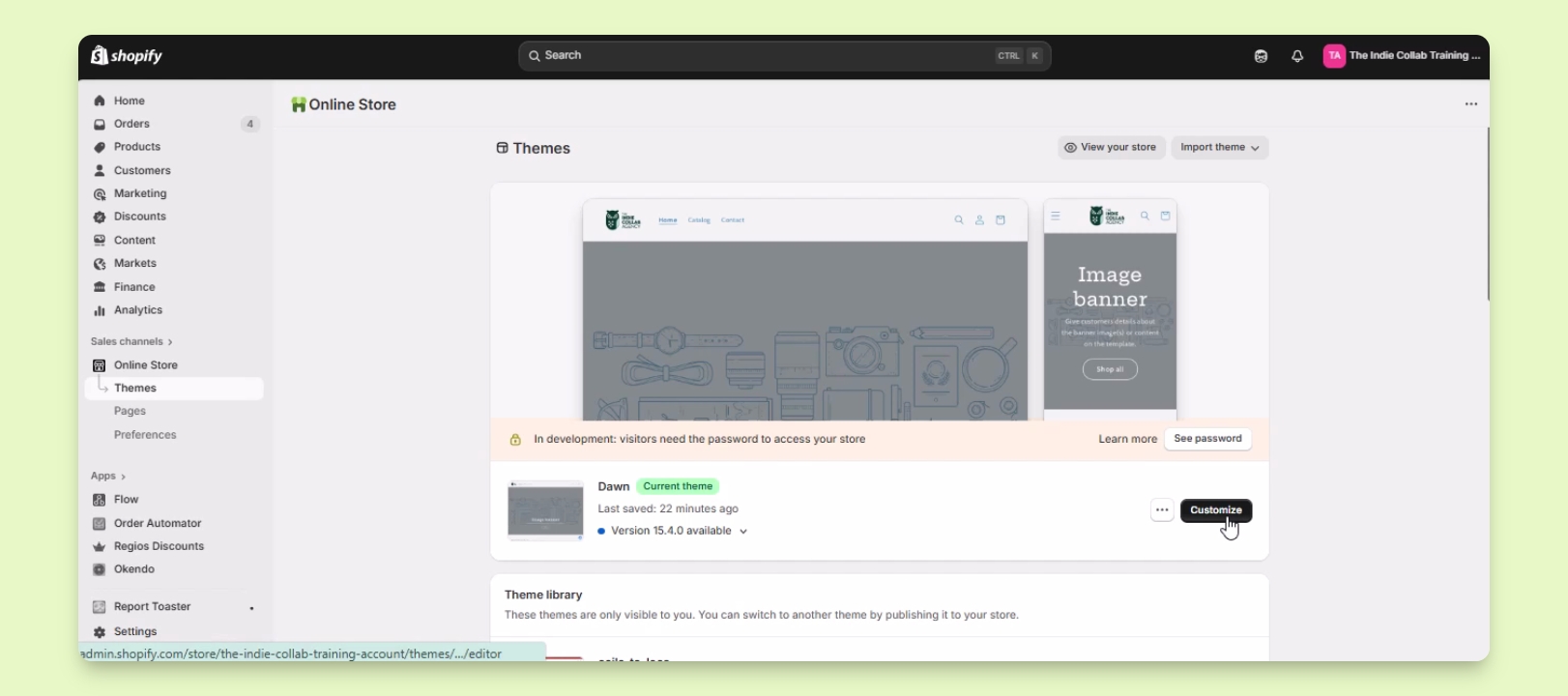
Log in to your Shopify account.
Under Sales Channels, click on Online Store.
Find the theme you want to edit and click the Customize button next to it.
You will be redirected to the theme editor interface.
Step 2: Select Product Template
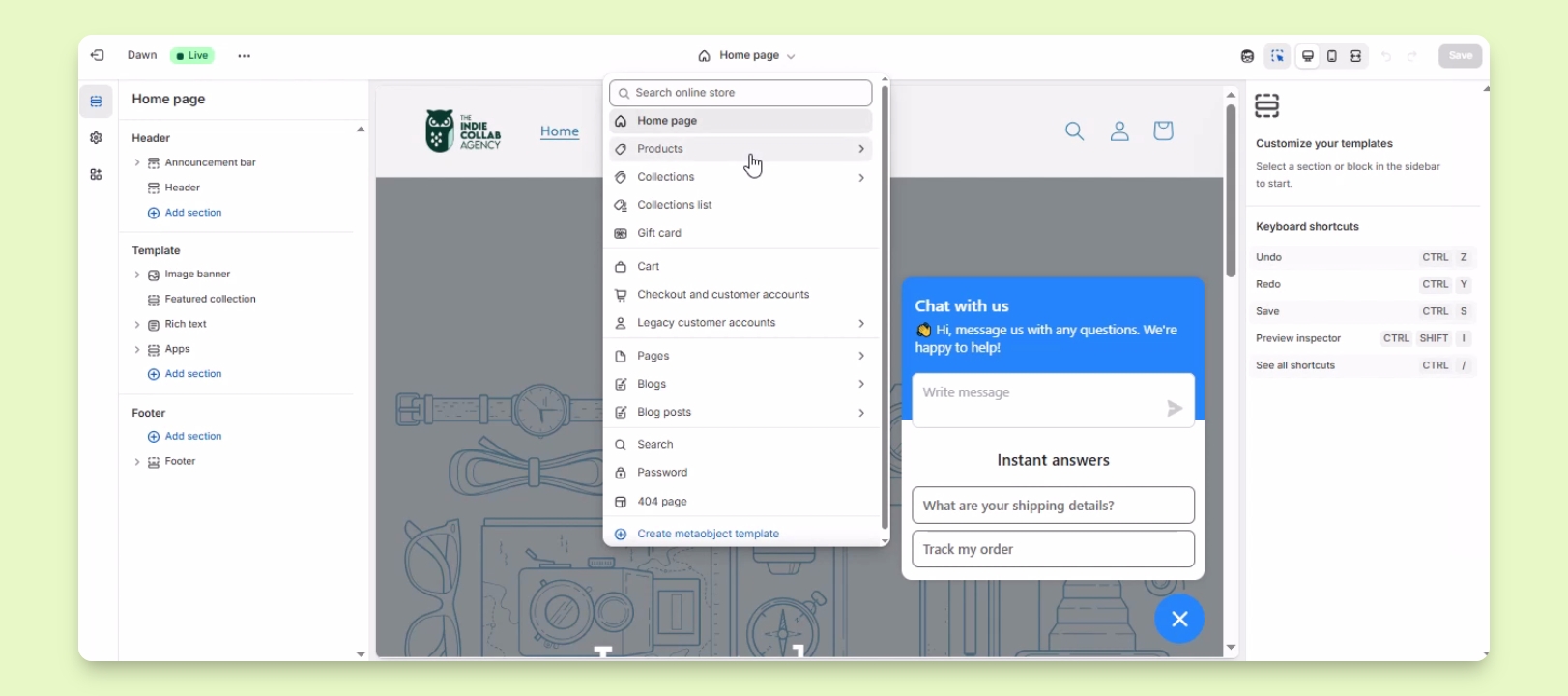
In the theme editor, locate the dropdown menu at the upper middle part that starts with homepage.
Click the dropdown and select Products.
Select the Default Product template to edit.
The options for editing product information will appear.
Step 3: Edit Product Information
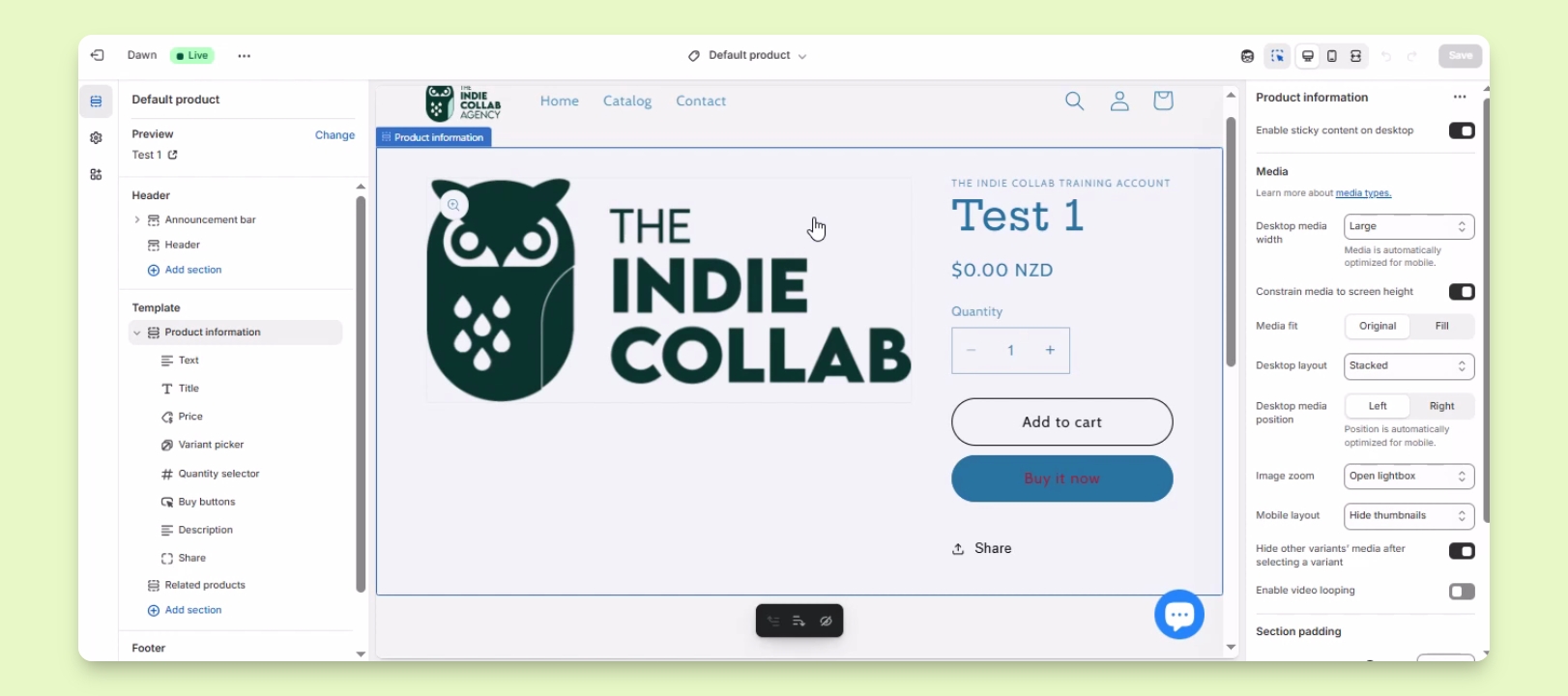
Edit the information displayed on your product pages including titles, prices, and button arrangements.
Adjust the image size and layout as desired.
Add more blocks to provide additional information on your product page.
Your product page will be customized according to your specifications.
Step 4: Save Changes
Once you are satisfied with the changes, click Save Template to apply your edits.