

TL;DR
1
Access Orders
Log in and click on Orders to find the desired order.
2
Print Documents
Use the Print option to print packing slips and invoices.
3
Edit Templates
Go to Order Printer to edit and preview your templates.
Let's Do It Together!
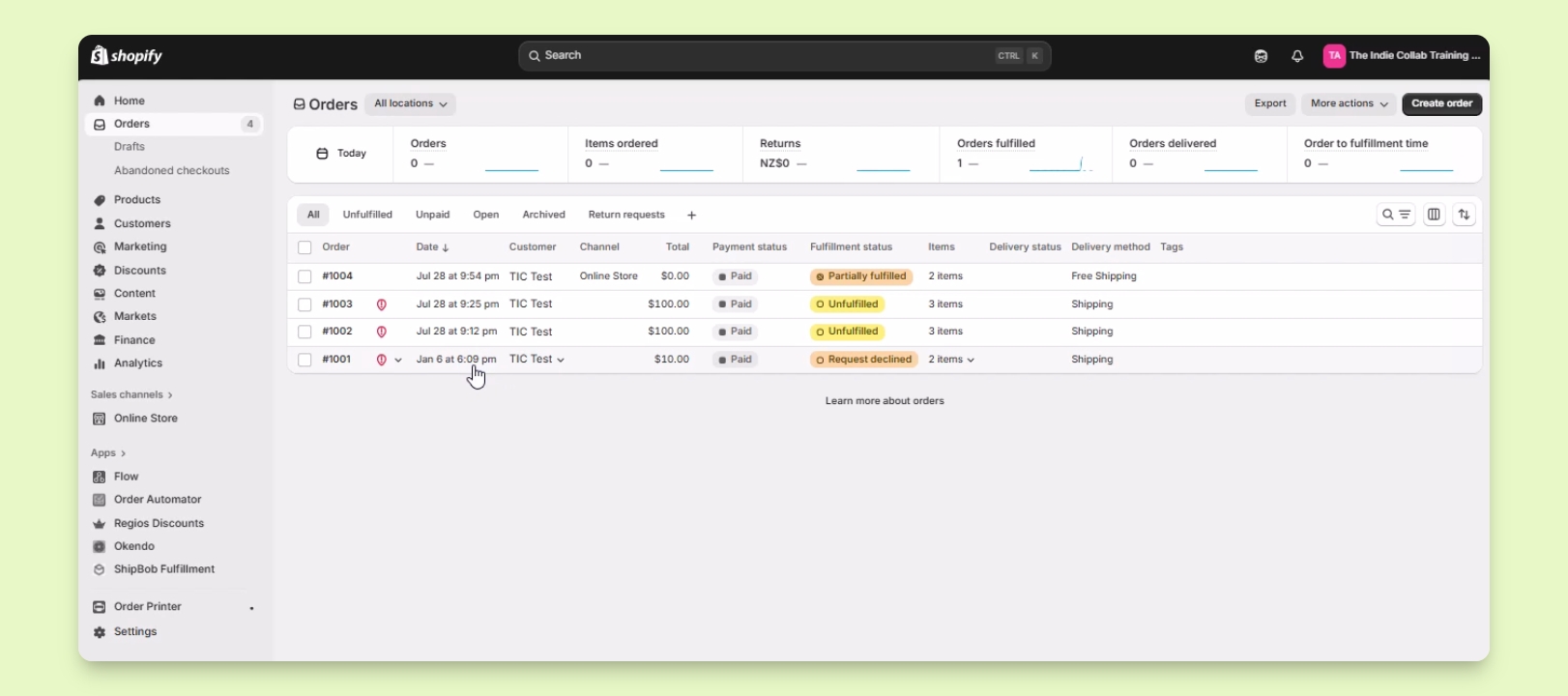
Step 1: Access Orders
Log in to your Shopify account.
Look for Orders and click on it.
Find the order you want to work on, for example, order number 1001.
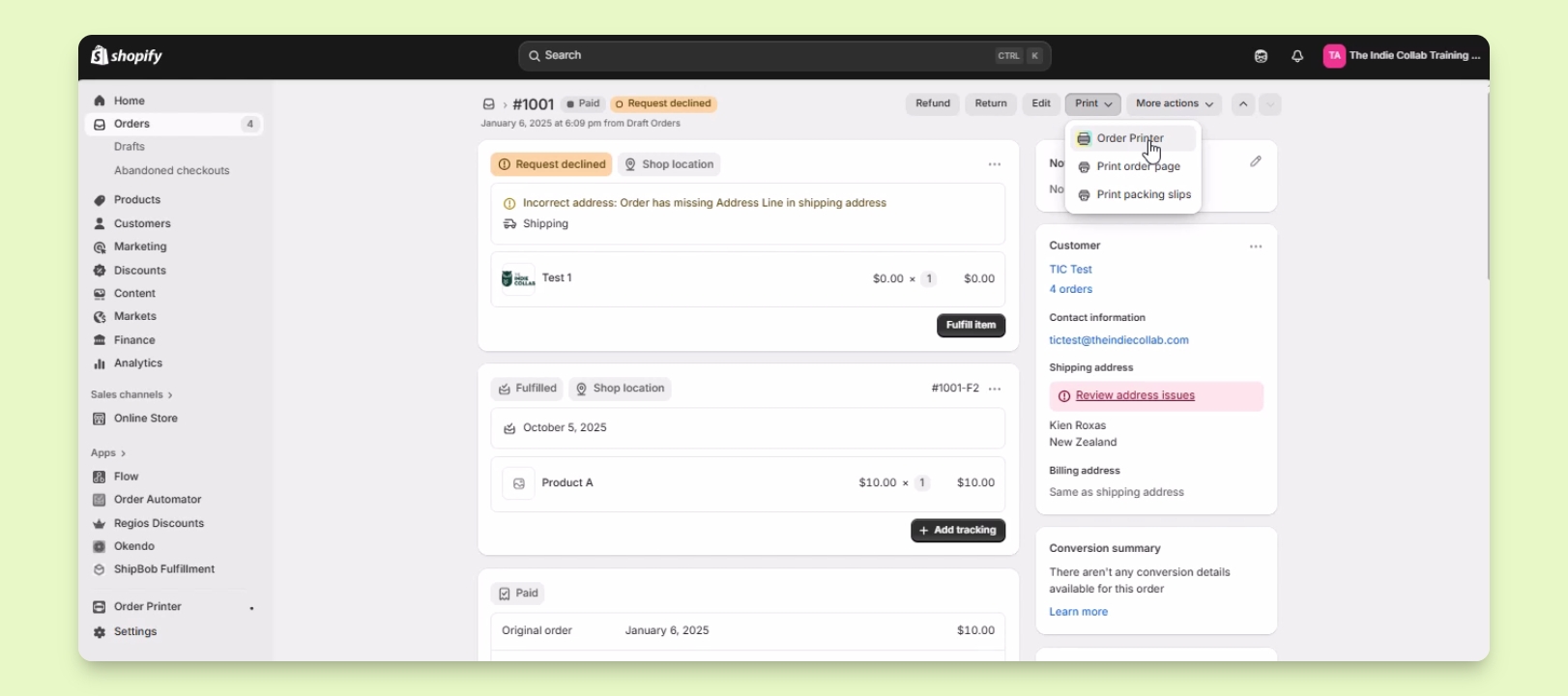
Step 2: Print Documents
Click on the Print option located in the upper right of the order page.
A dropdown menu will appear with printing options.
Choose Order Printer or a third-party application to print invoices and packing slips.
Uncheck the Pick List and ensure Packing Slip and Invoice are checked.
Click Continue Print to proceed.
Your printer settings will open, allowing you to print the documents.
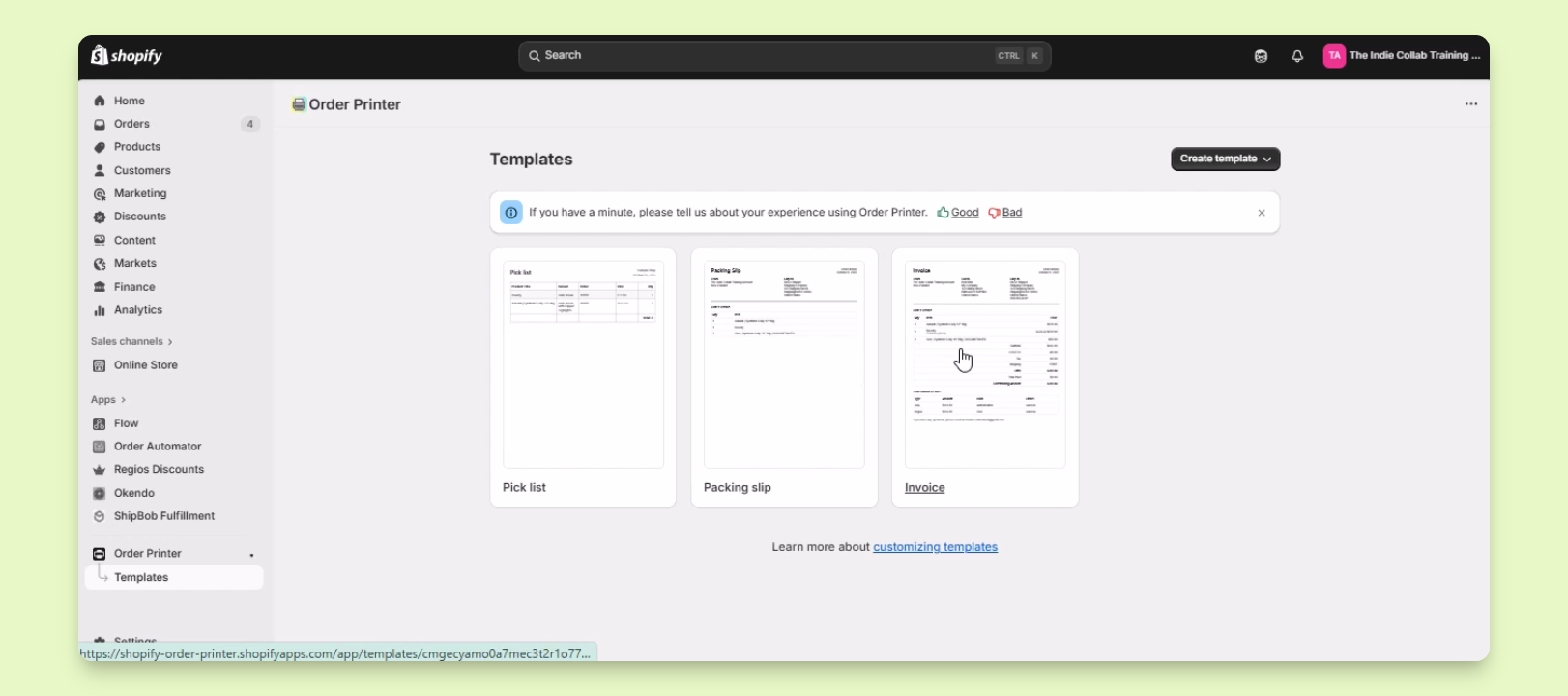
Step 3: Edit Templates
To edit your packing slip and invoice templates, go to your app list.
Open Order Printer and click on Templates.
Select the template you want to edit.
Edit the template via code and click Preview to see changes.
Troubleshooting
Cannot find Print option
Ensure you are viewing the correct order in Shopify.
Templates not appearing
Verify that the Order Printer app is installed and configured.
FAQ
Can I customize packing slips?
Yes, you can edit packing slips in the Order Printer app.
Is Order Printer free?
Yes, the Order Printer app is free to use.