

TL;DR
1
Access Settings
Log in to Shopify and go to Settings > Policies.
2
Edit Legal Pages
Select and edit the desired legal page using a template or your own content.
3
Publish Pages
Click Publish to make the edited pages live on your store.
4
Repeat for Others
Edit and publish any additional legal pages as needed.
Let's Do It Together!
Step 1: Access Policies
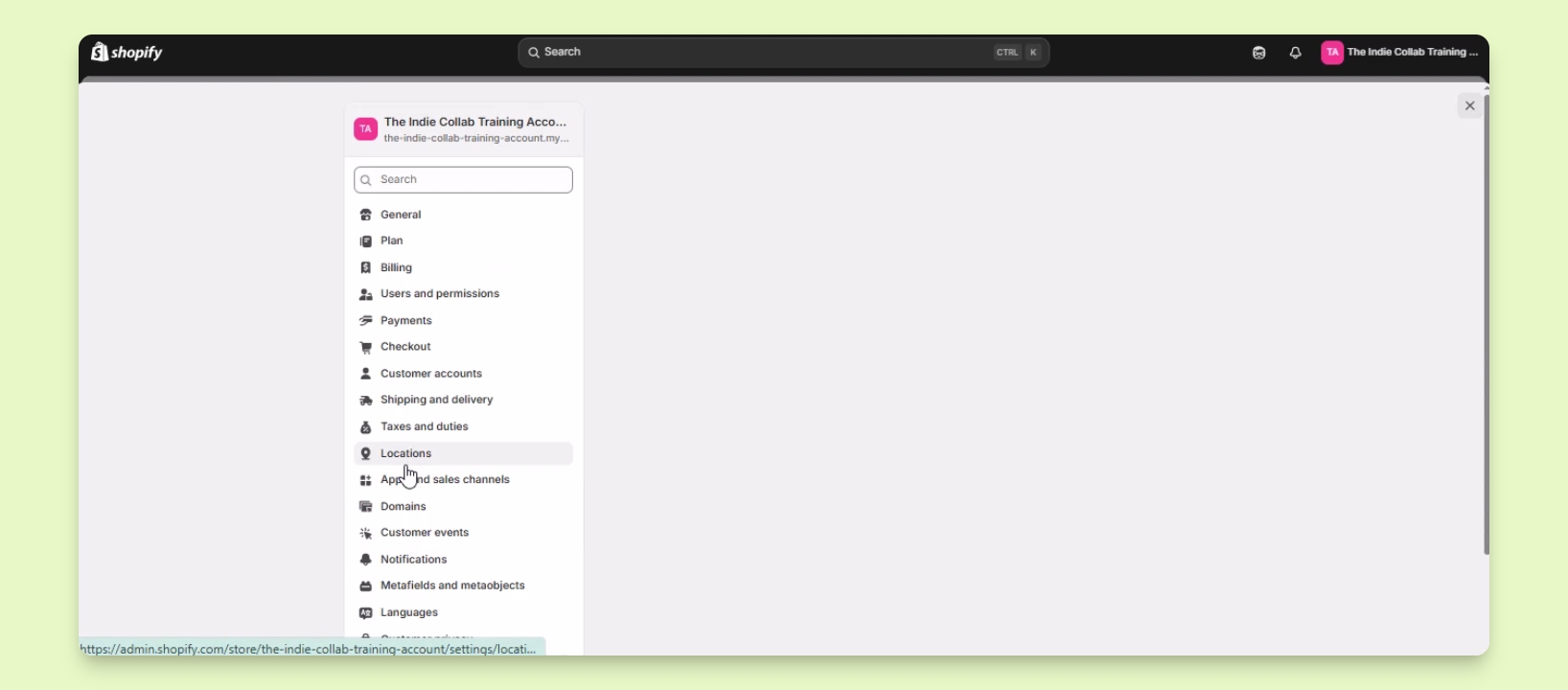
Log in to your Shopify account.
Click on Settings in the lower left corner.
Under Settings, select Policies.
You will see the options to edit your legal pages.
Step 2: Edit Legal Pages
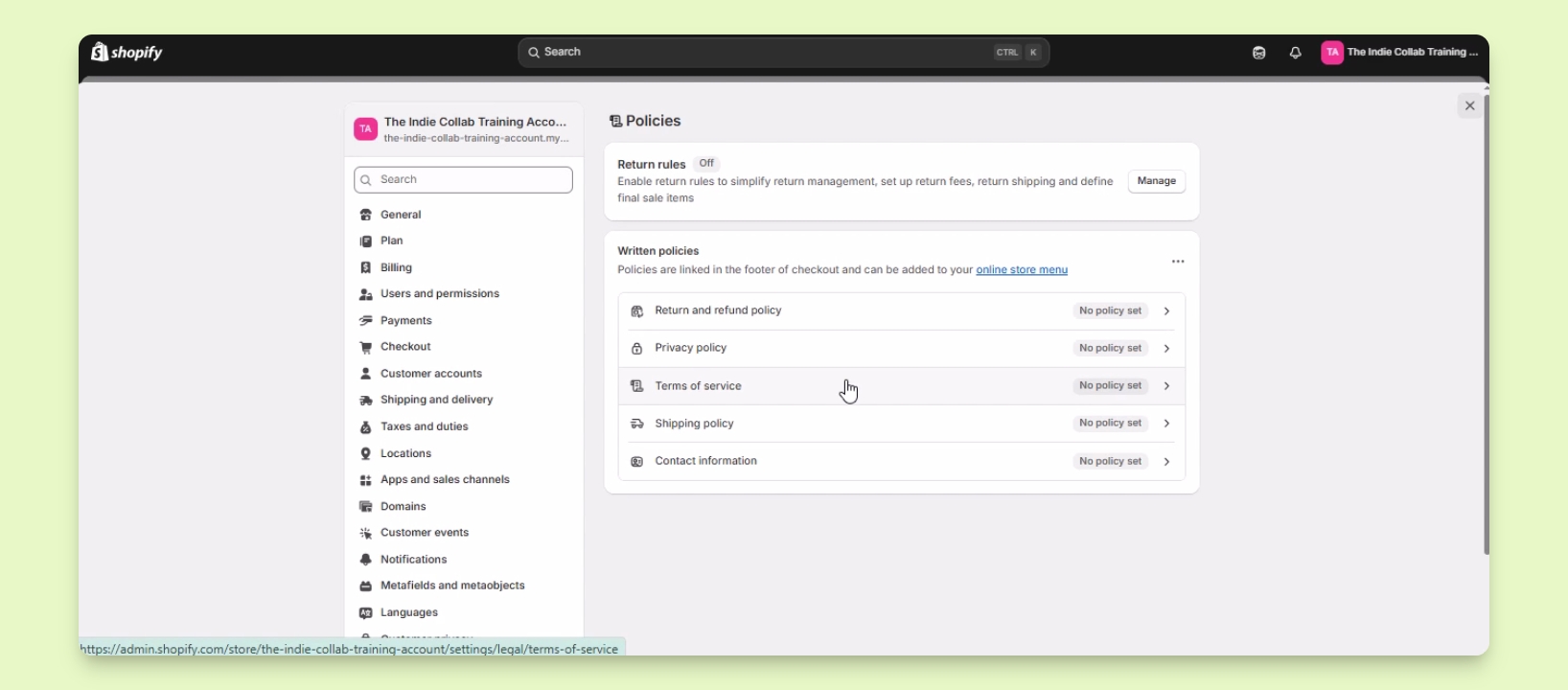
Select the page you want to edit, such as Privacy Policy, Terms of Service, or Return and Refund Policy.
You can use Shopify's template or enter your own policy.
Step 3: Publish Your Pages
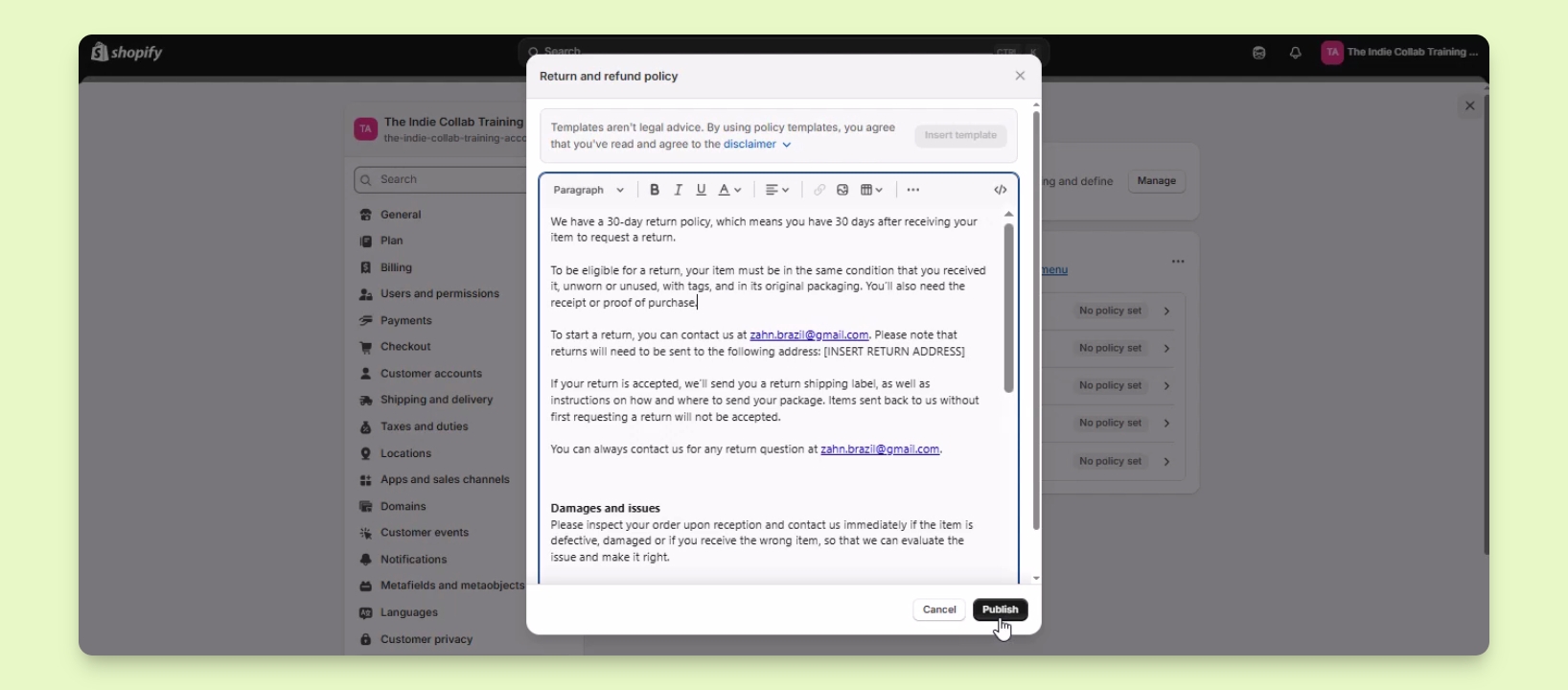
After editing, click on the Publish button to make the page live.
The published pages will appear on your website, typically in the footer area.
Step 4: Repeat for Other Pages
Perform the same process for any other legal pages you need to enable.