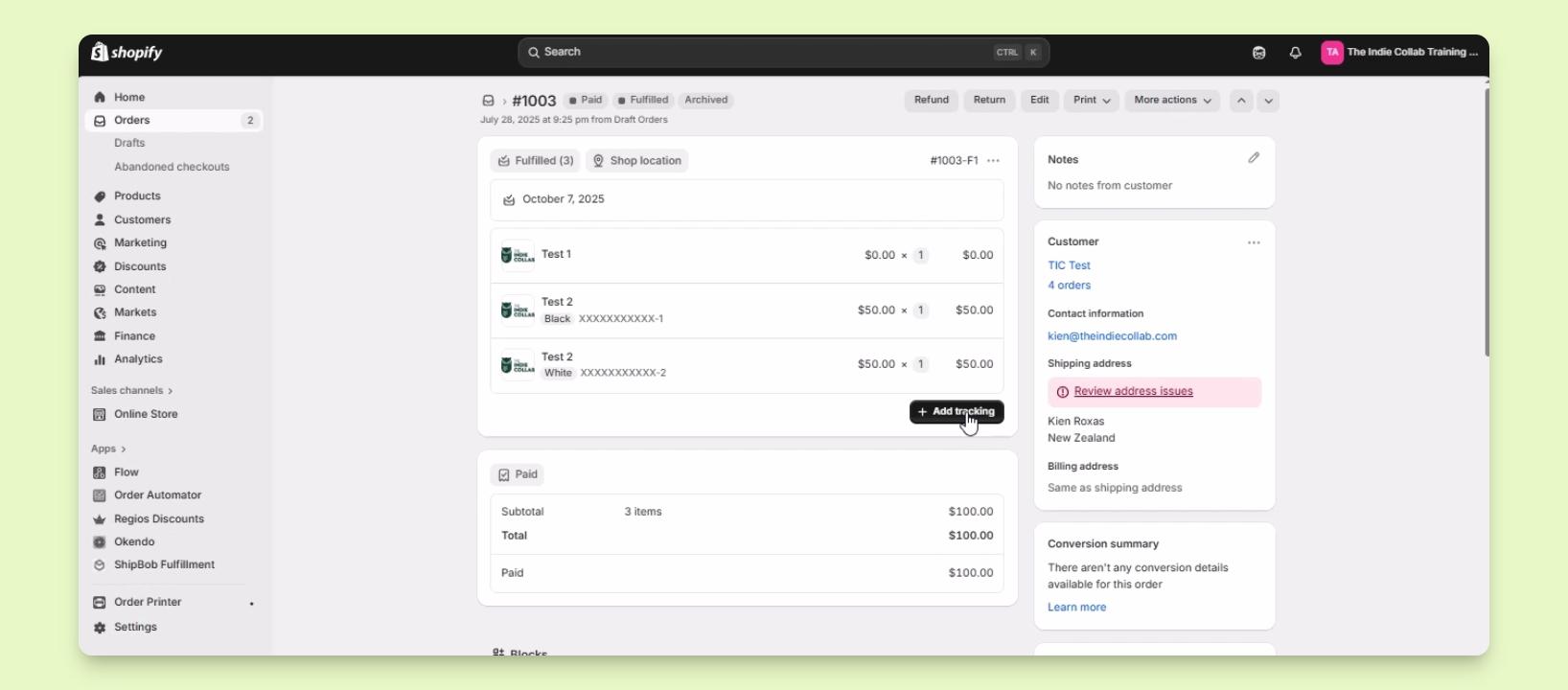

TL;DR
Let's Do It Together!
Step 1: Access Orders
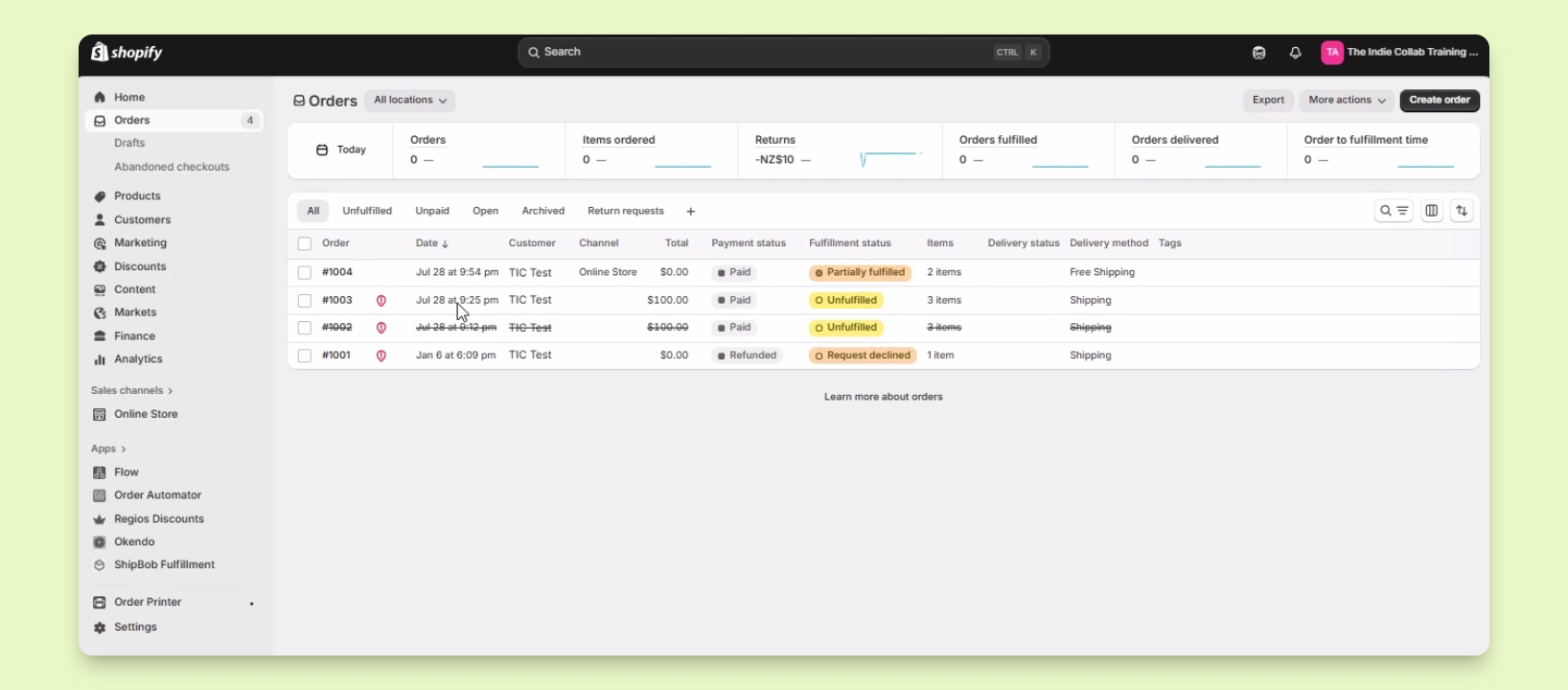
In your Shopify admin, click on Orders to view your orders list.
Locate the order you want to work on, for instance, order number 1003.
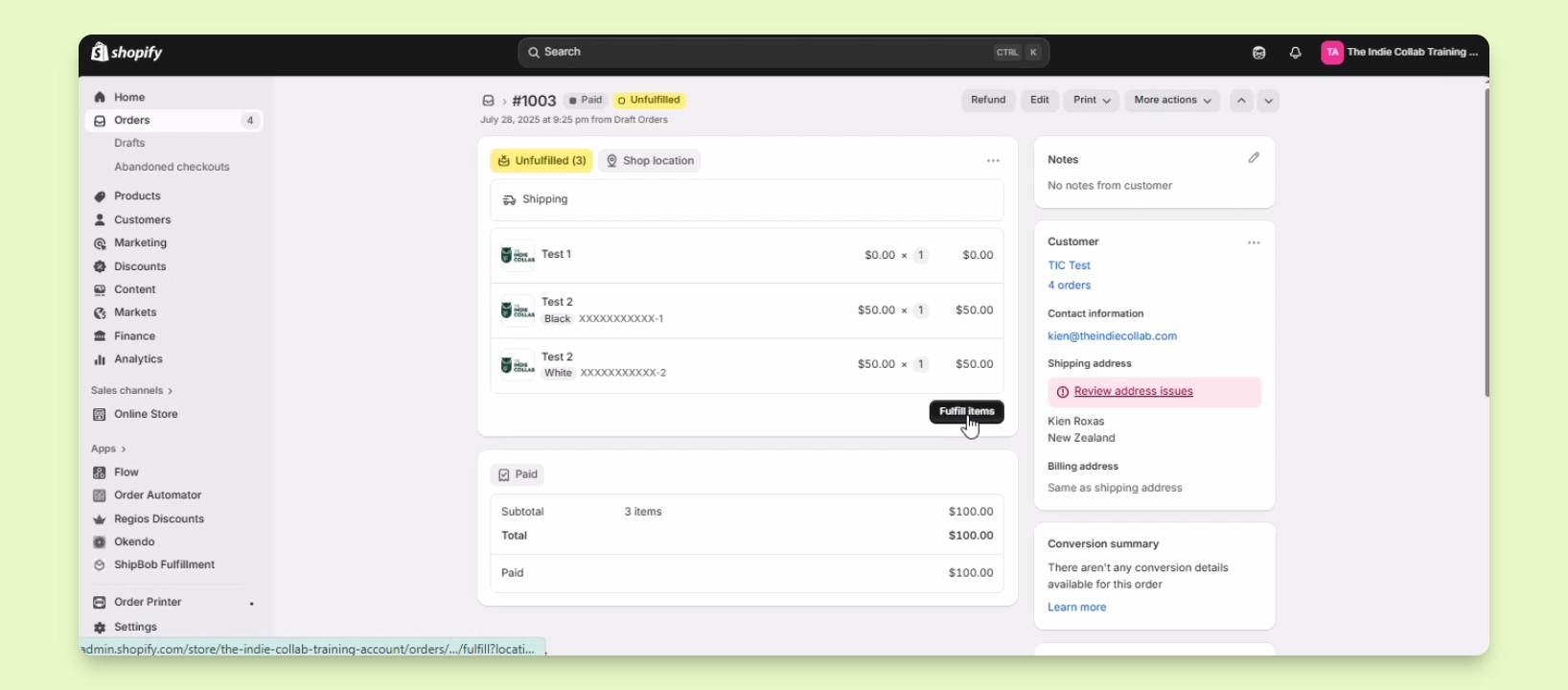
Step 2: Fulfill the Order
Click the fulfill items button to proceed with fulfilling the order.
On the fulfillment information page, find the tracking information section.
Add the tracking number and shipping carrier information.
To add multiple tracking numbers, click the plus sign below the tracking number field.
You have successfully added tracking information during the fulfillment process.
Step 3: Add Tracking After Fulfillment
If the order was fulfilled without a tracking number, click the add tracking button.
Enter the tracking number and select the shipping carrier.
Optionally, check the box to send a notification email to the customer regarding the tracking information.
Click the save button to save the tracking details.
The tracking number is now added to the fulfilled order.