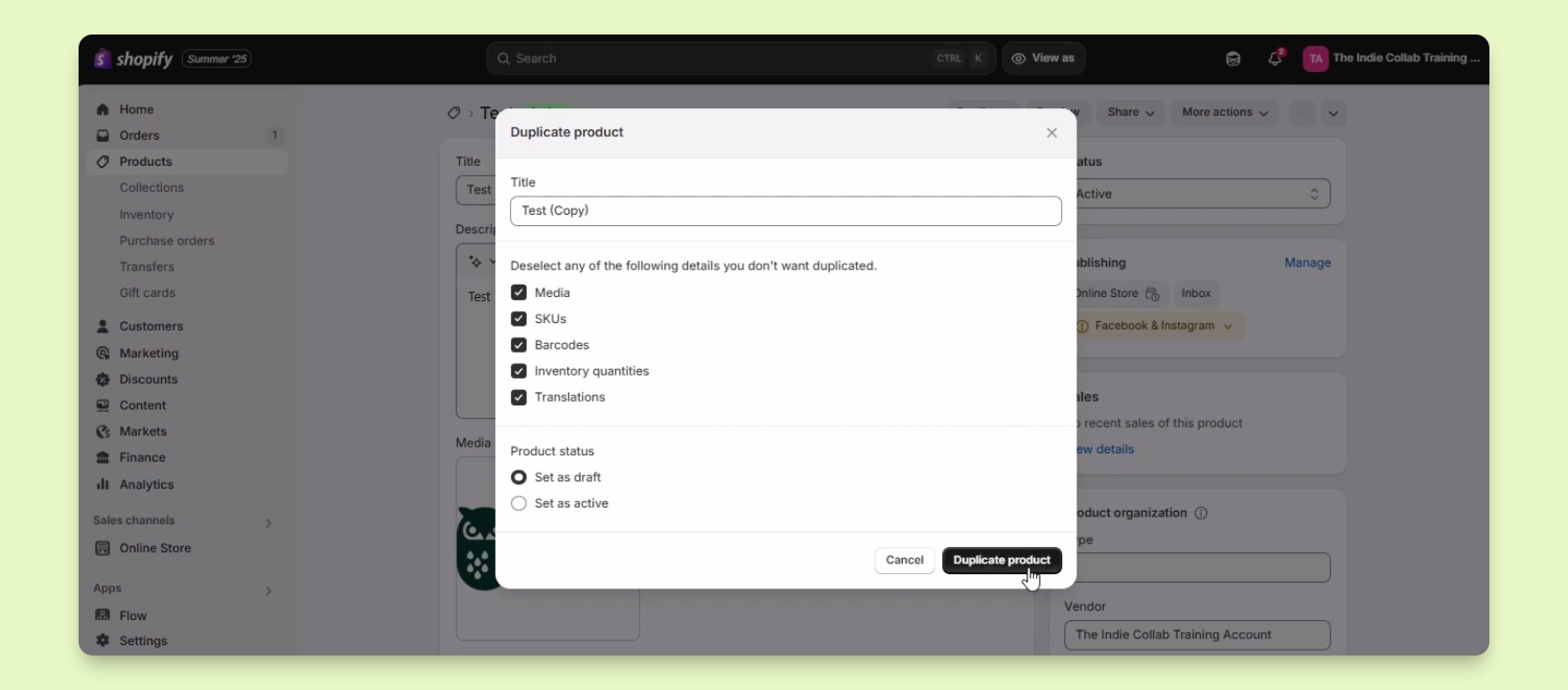

TL;DR
1
Open Products
Access the Products section in Shopify.
2
Select Product
Find and select the product to duplicate.
3
Choose Duplicate
Click the Duplicate button to begin.
4
Set Duplicate Options
Configure title and details for the duplicate.
5
Complete Duplication
Click Duplicate product to create it.
Let's Do It Together!
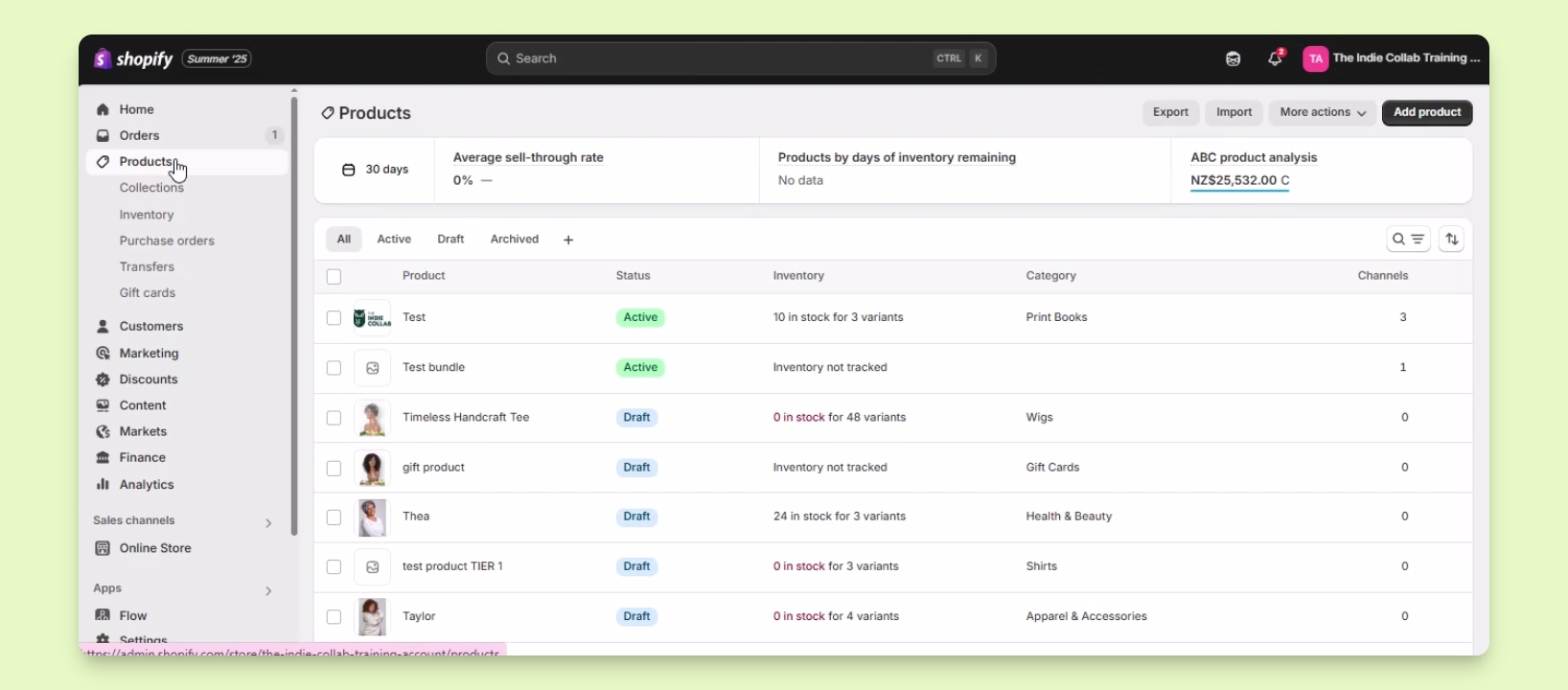
Step 1: Locate the Product
Go to Products in your Shopify admin.
Find the product you want to duplicate using the list or the search function.
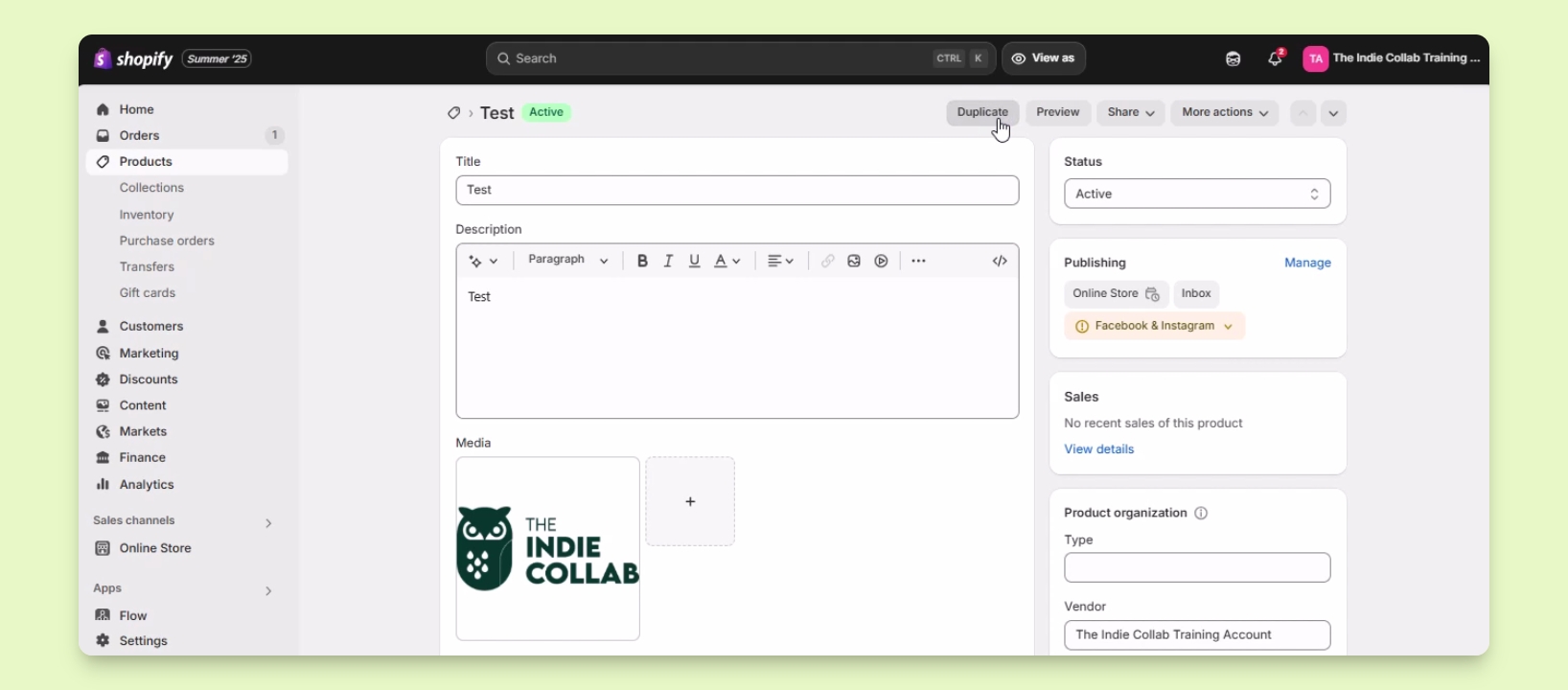
Step 2: Click Duplicate
Select the product and click the Duplicate button at the top.
A window will open displaying the duplication options.
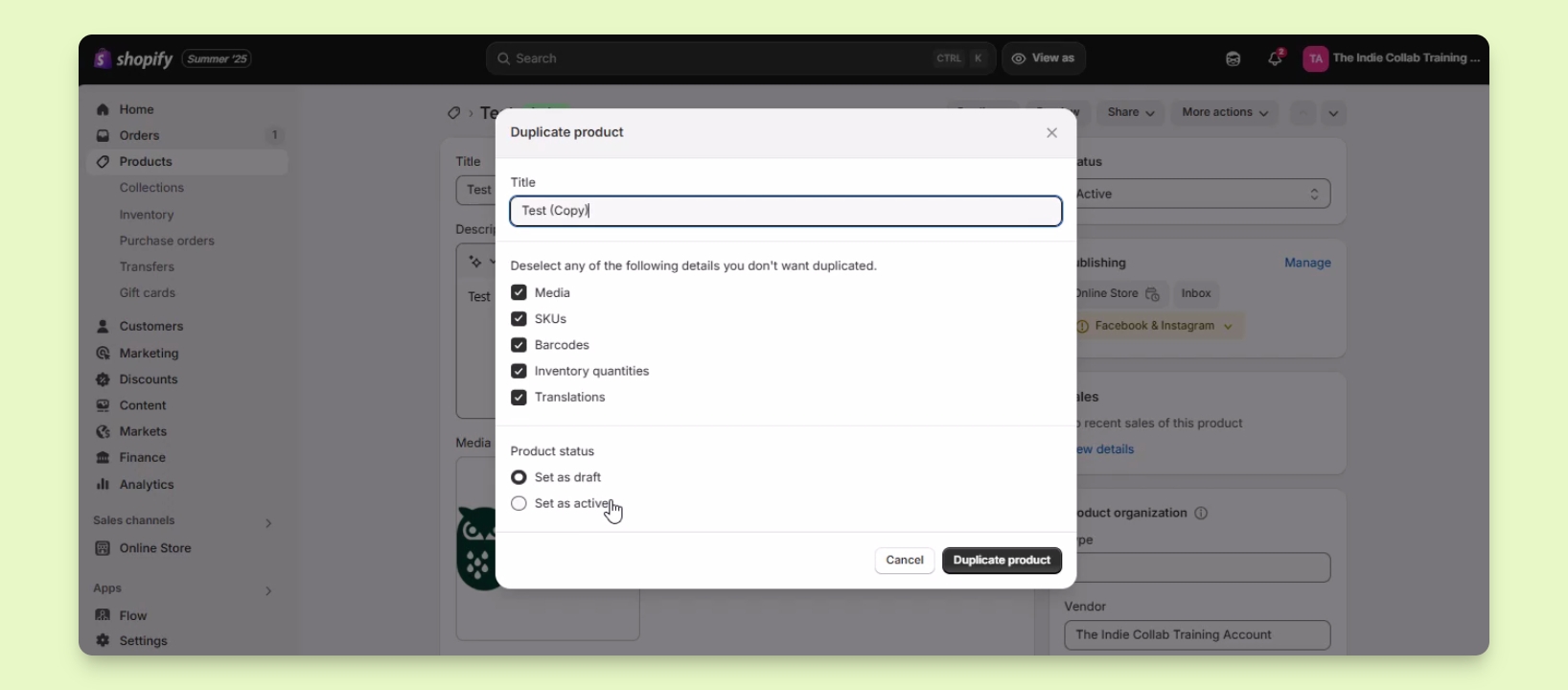
Step 3: Configure Duplicate Settings
Set the new title for the duplicate product.
Deselect any details you don't want to duplicate (e.g., media, SKUs, barcodes).
Choose the product status (active or draft) for the duplicate.
Step 4: Create the Duplicate
Click the Duplicate product button to finalize the duplication.
Your duplicate product has been created successfully.