
TL;DR
1
Log into Shopify
Access your Shopify account to begin editing.
2
Go to Settings
Click on Settings in the lower left corner.
3
Find Store Details
Navigate to the General Settings and find Store Details.
4
Edit and Save
Update your contact info and click Save.
Let's Do It Together!
Step 1: Access Settings
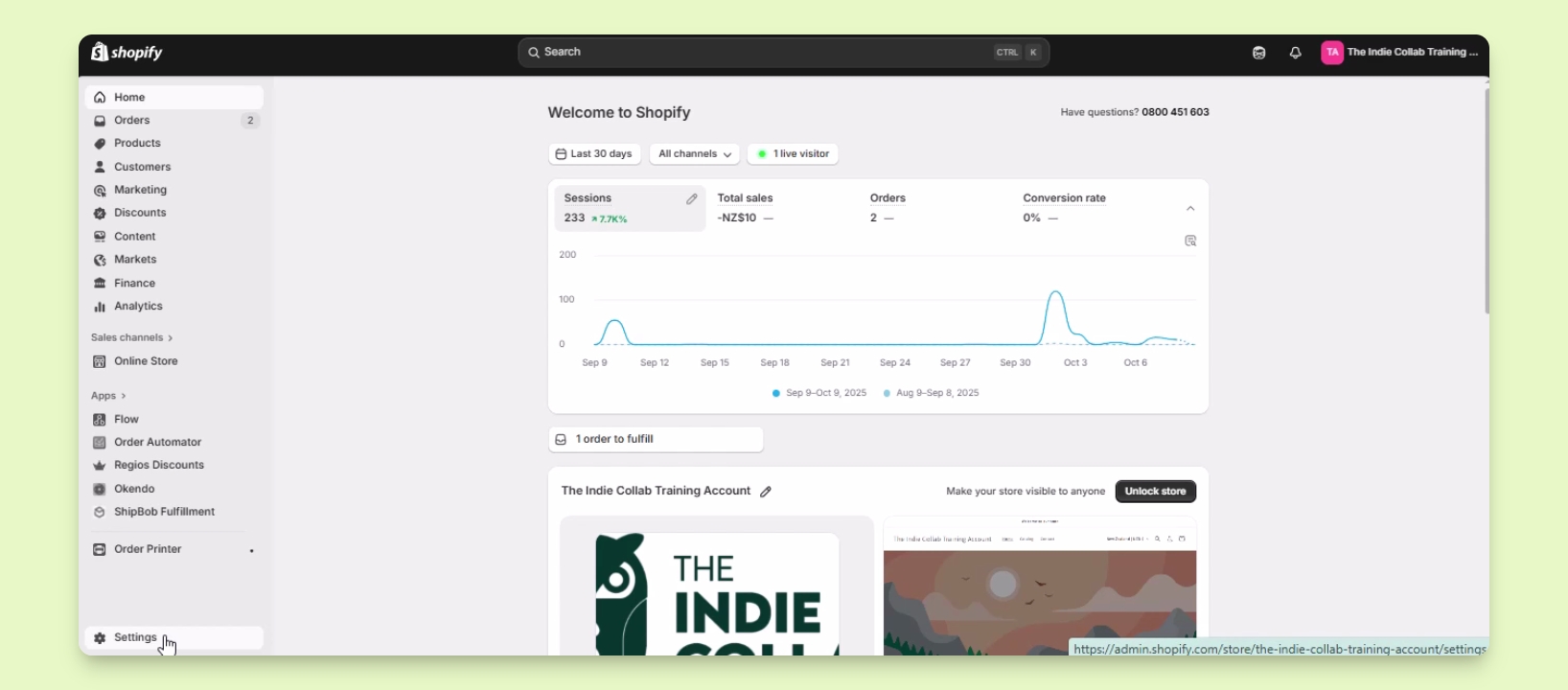
Log into your Shopify account.
Click on Settings located at the lower left section.
Step 2: Navigate to Store Details
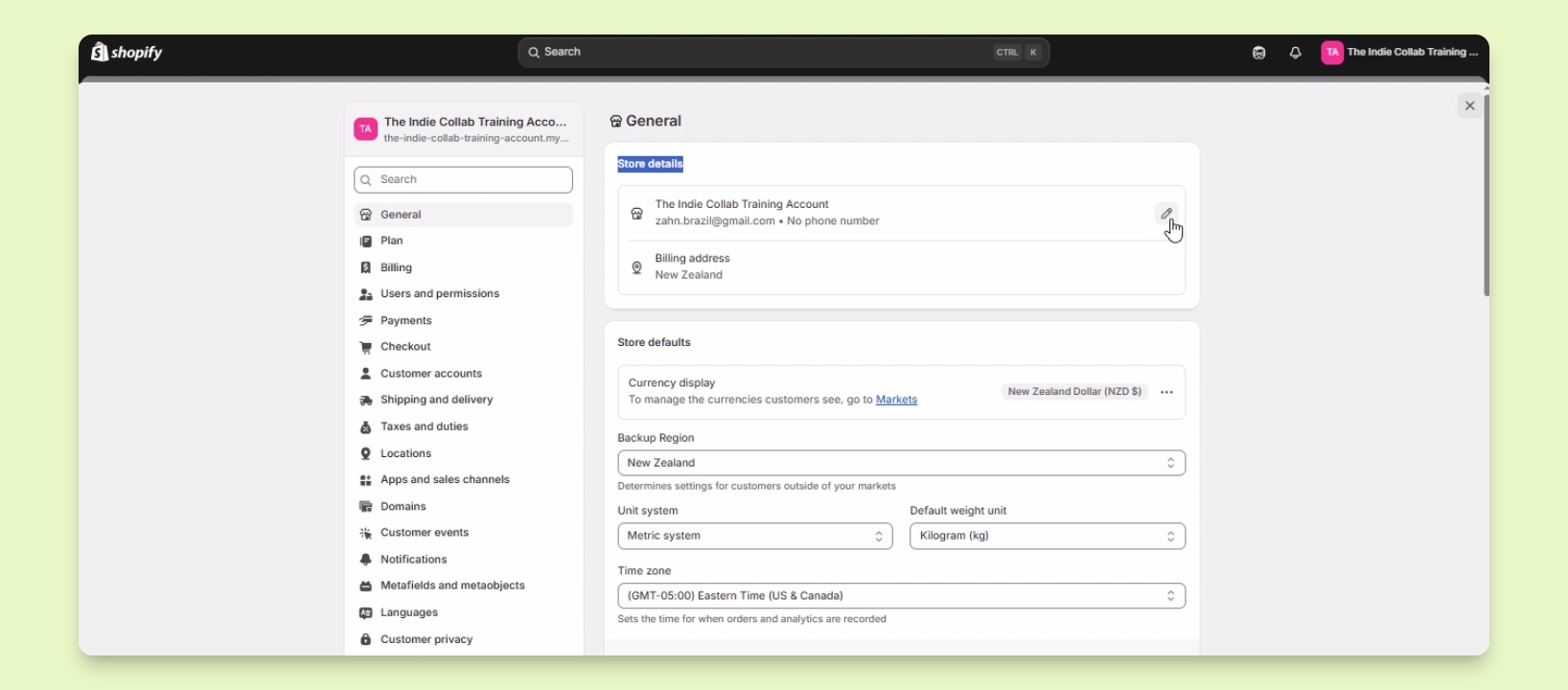
Locate the General Settings section.
Find the section labeled Store Details.
Step 3: Edit Contact Information
Hover your mouse over the Store Details section.
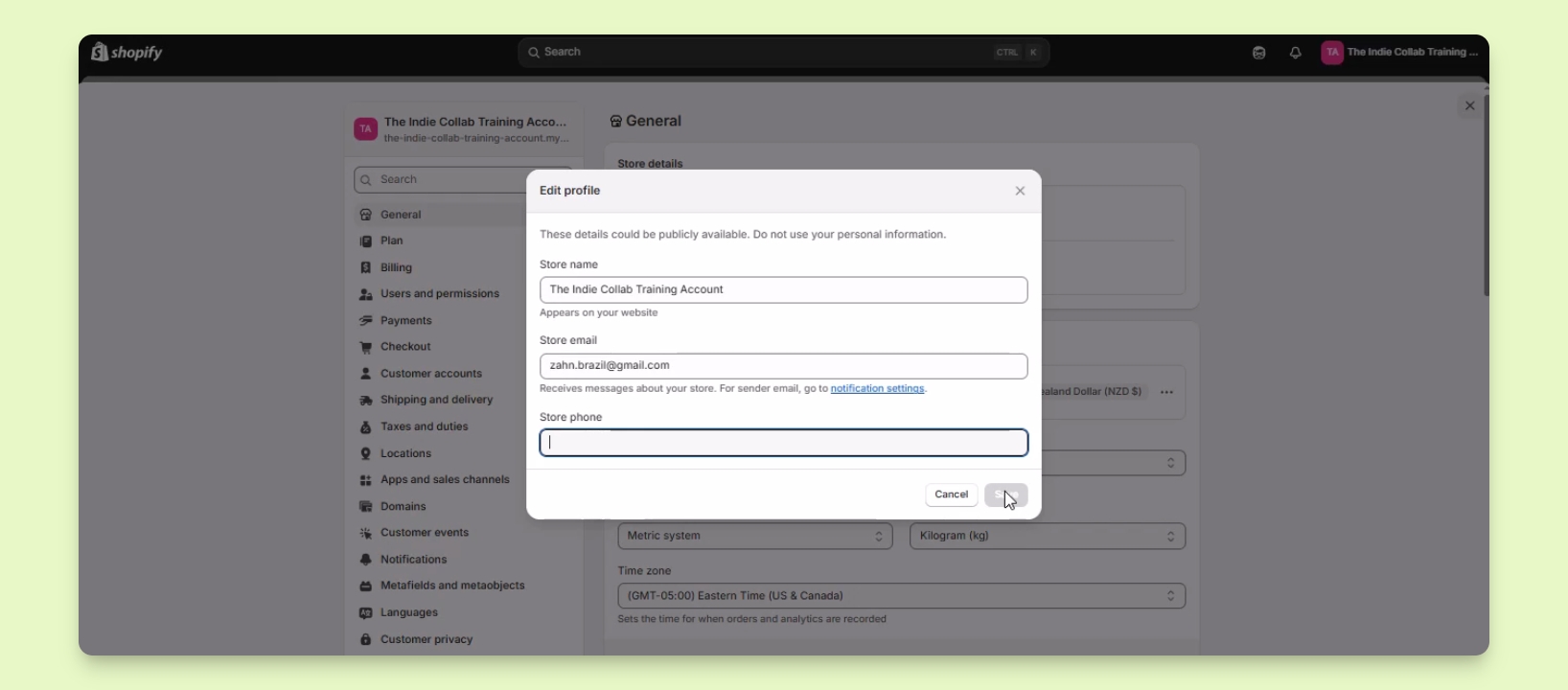
Click on the pencil icon to update your Store Name, Store Email, and Store Phone.
Enter the correct details in the respective fields.
Once you have filled in the details, click the Save button to apply your changes.