
TL;DR
1
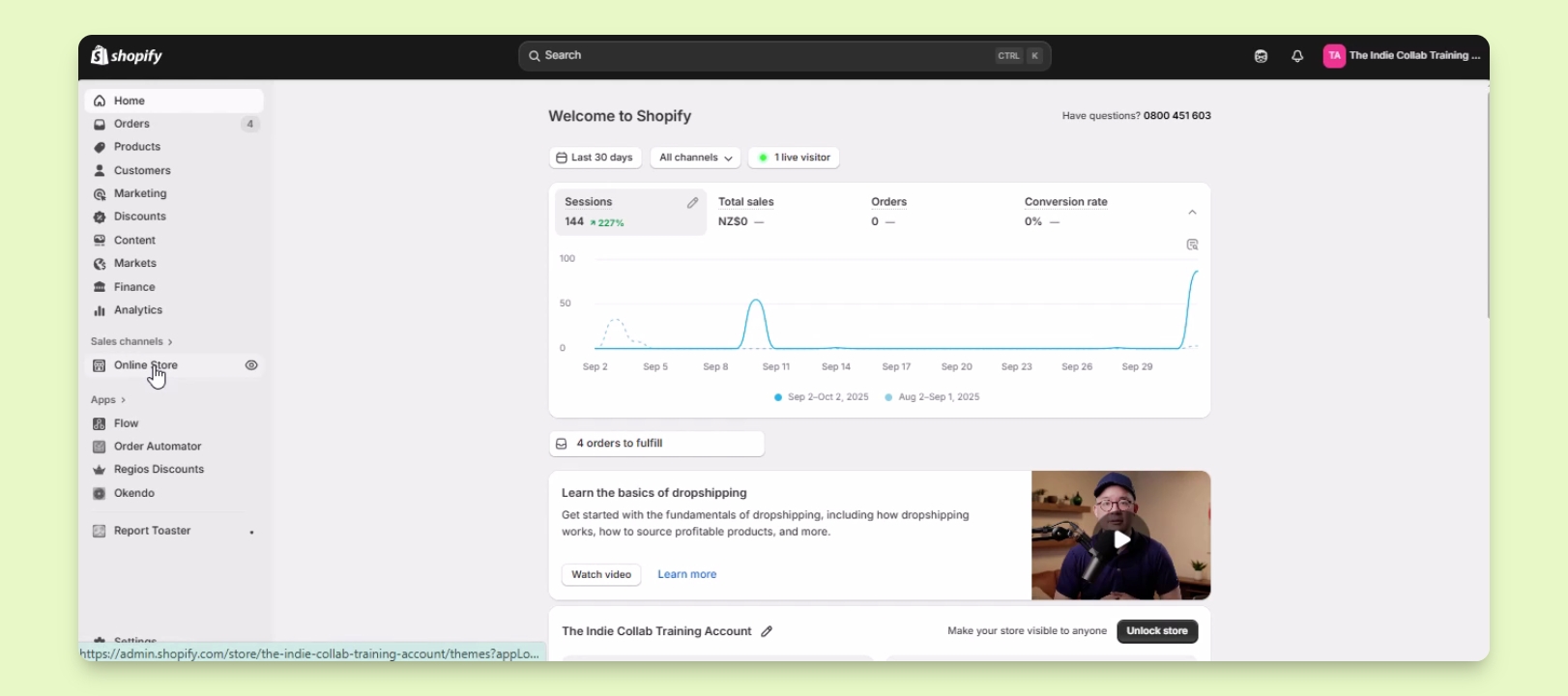
Access Online Store
Navigate to Online Store in your Shopify admin.
2
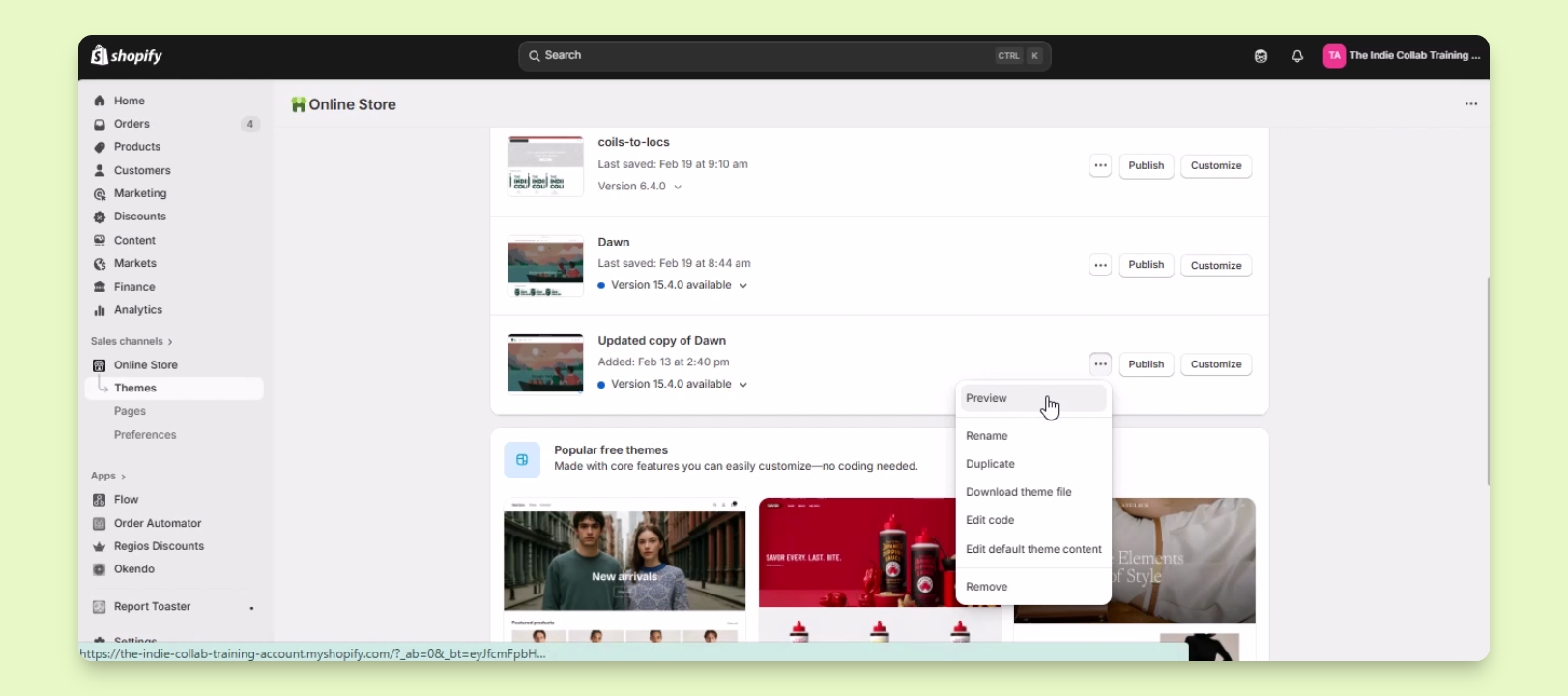
Preview theme
Click the three dots and select Preview to check your theme.
3
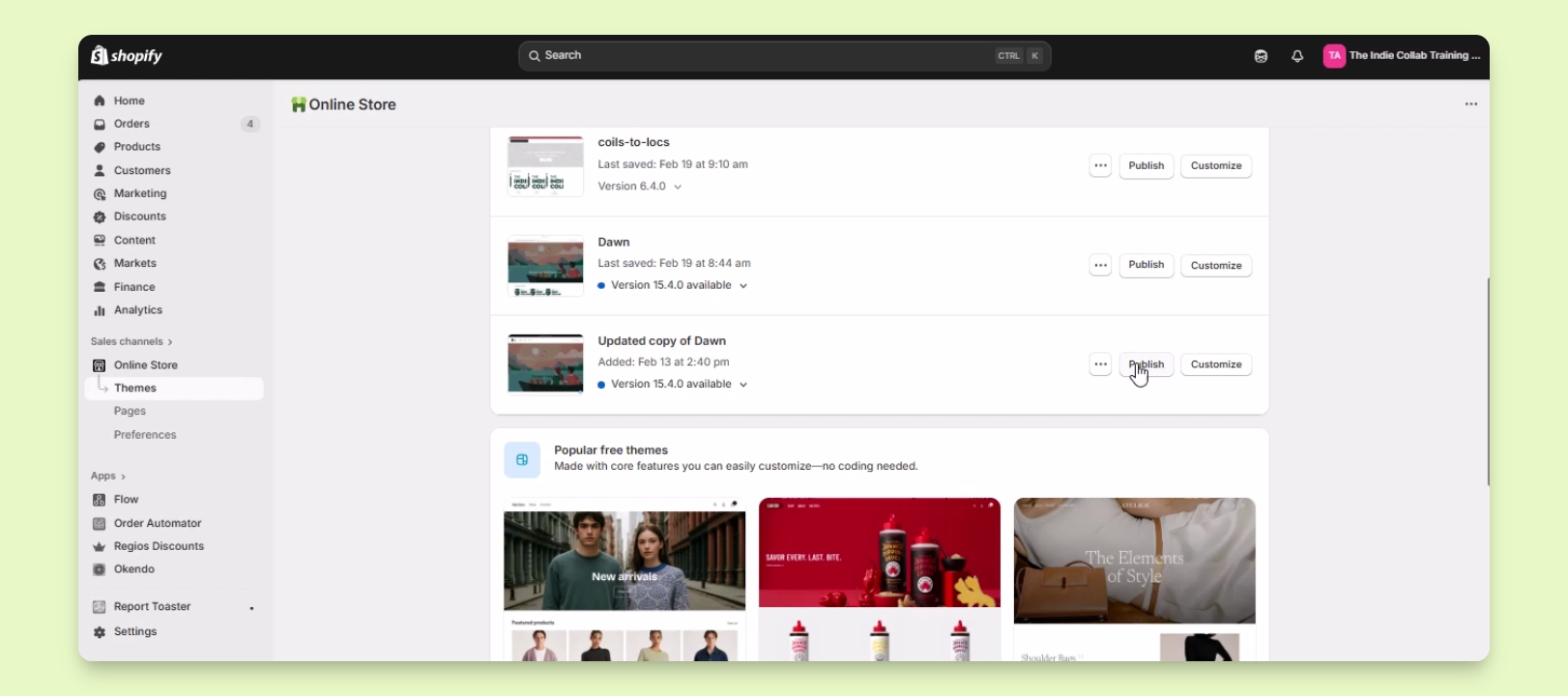
Publish theme
Click Publish to make your theme live for customers.
Let's Do It Together!
Step 1: Access the Theme List
In your Shopify admin, go to Online Store under the sales channels.
You will see a list of themes available in your store.
Step 2: Preview the Theme
Locate the theme you want to work on.
Click the three dots button next to the theme.
Click on the Preview button to open a new tab showing the draft version of the theme.
This shows you the layout and design changes before they go live.
Step 3: Publish the Theme
Return to the theme list and find the Publish button.
Click Publish to make the theme live for customers.
Your theme is now live and visible to all customers.