

TL;DR
1
Log in and access collections
Go to Products > Collections in Shopify.
2
Select a collection
Choose the collection you wish to edit.
3
Sort products
Use the sort option to organize products.
4
Drag and drop products
Manually rearrange by dragging items to desired position.
Let's Do It Together!
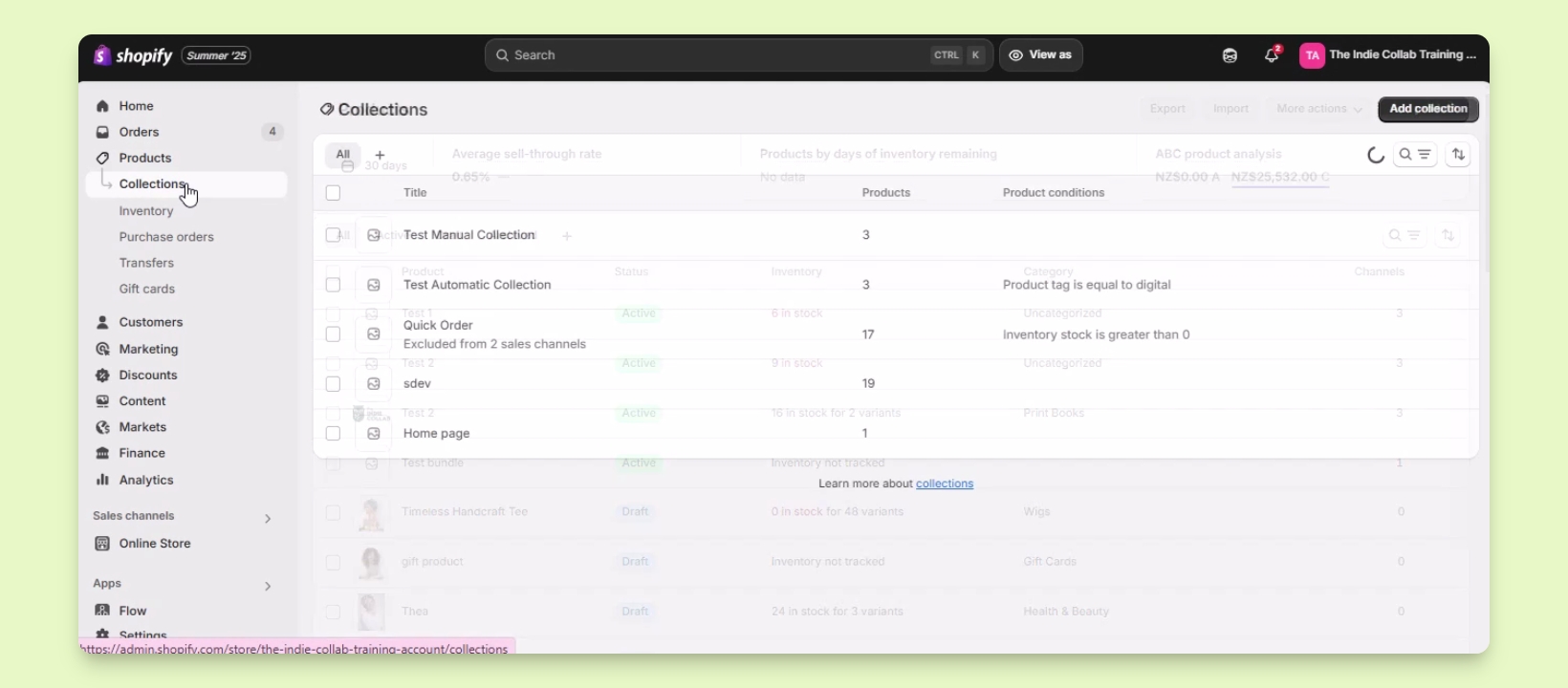
Step 1: Access Collections
Log in to your Shopify account.
Navigate to Products and click on Collections.
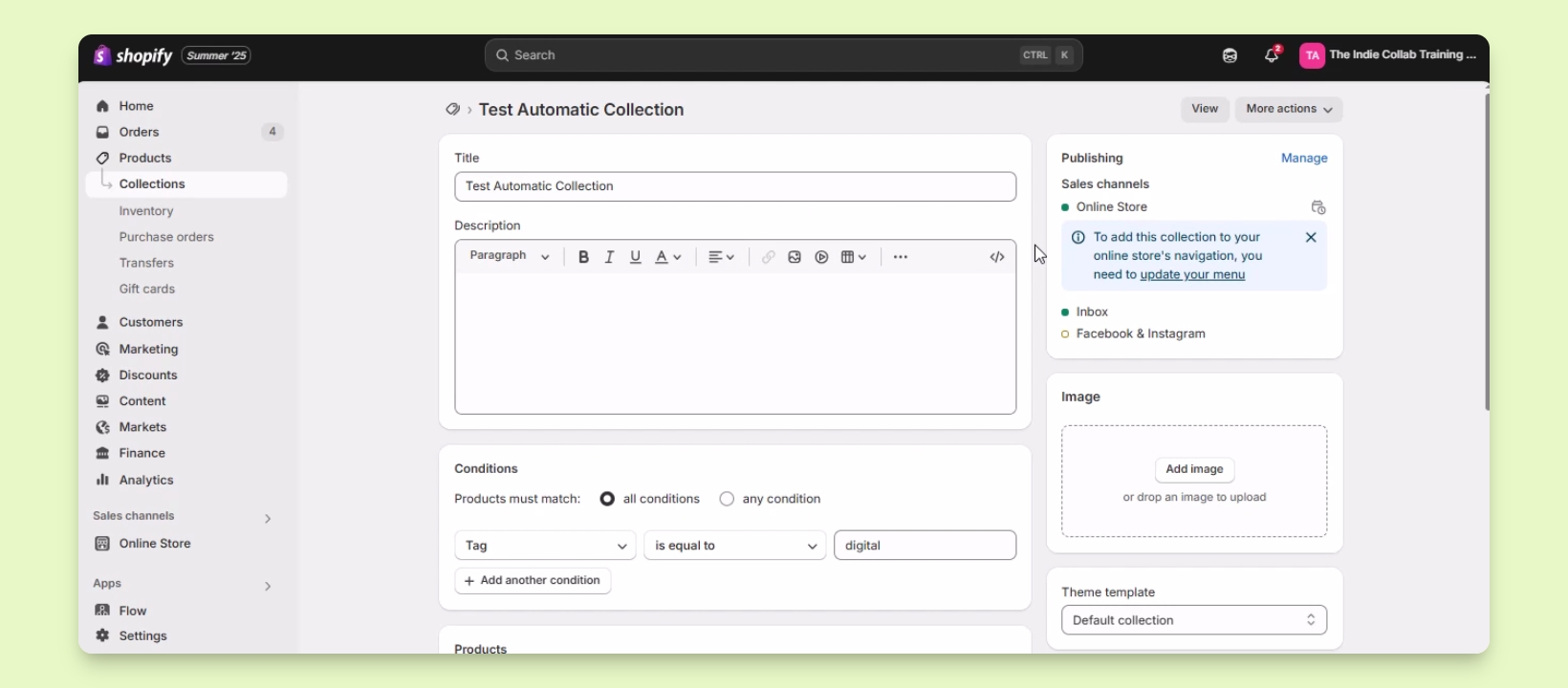
Step 2: Choose a Collection
Select the collection you want to edit.
For this example, we will use the test automatic collection.
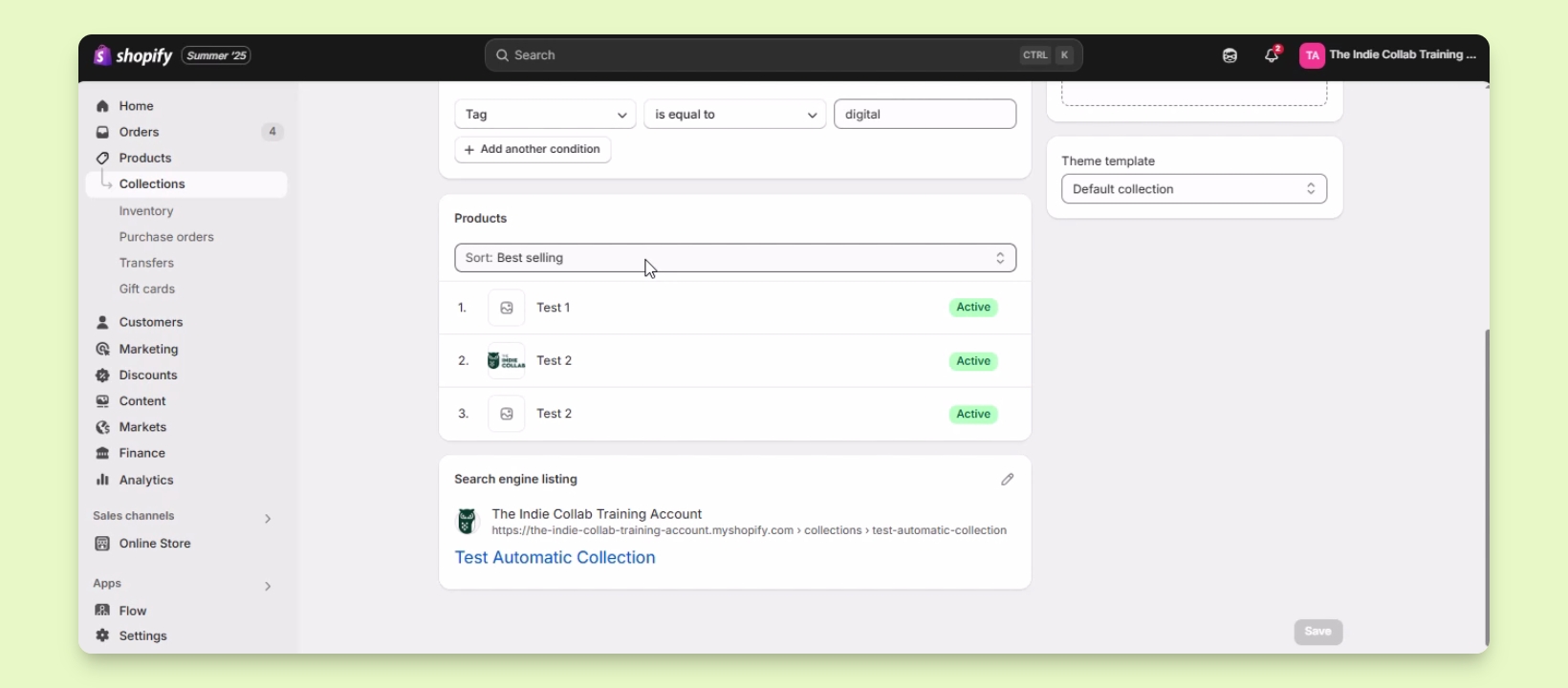
Step 3: Sort Products
Scroll down to the Products section.
Click on the sort option to see sorting choices.
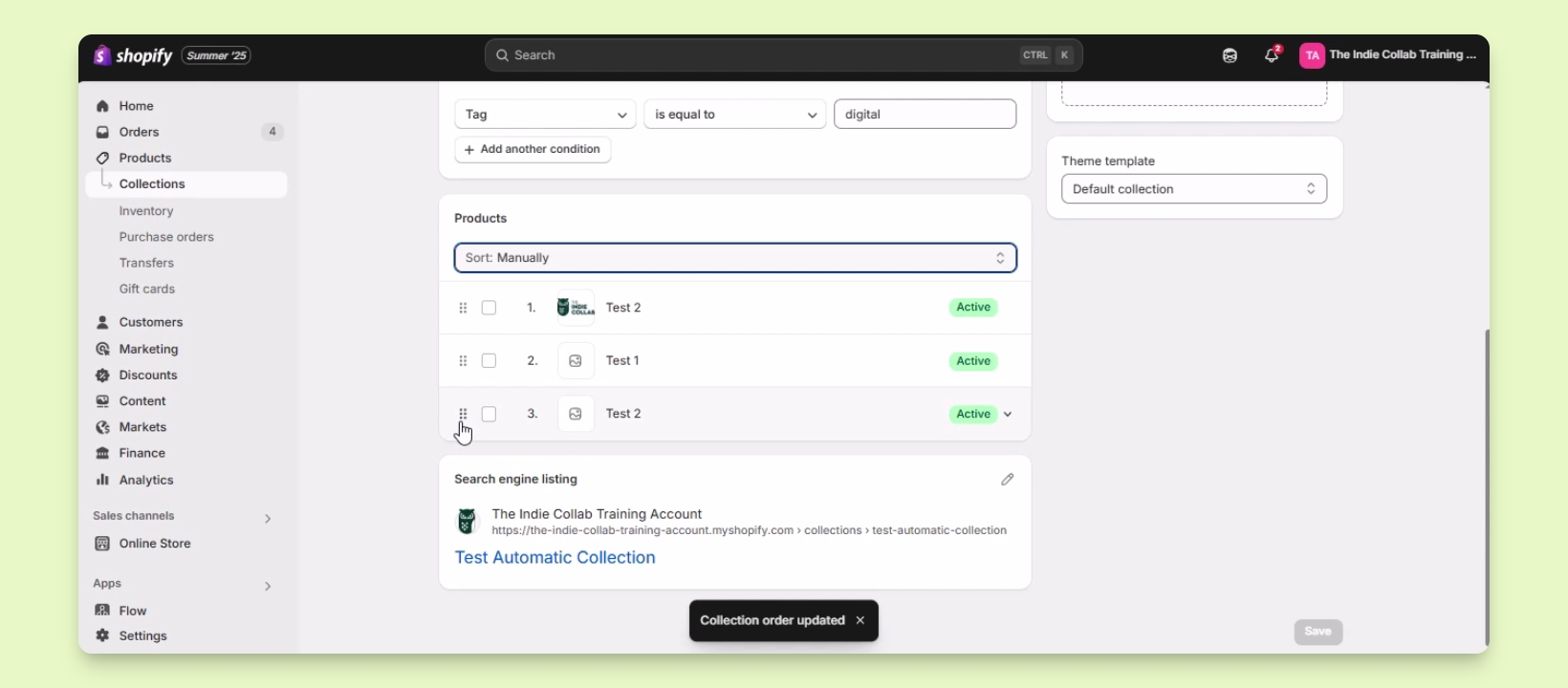
Step 4: Manually Reorganize
Select manually to enable drag and drop.
Press and hold the drag and drop icon to move products.
For instance, to move Test1 to the top, drag it upwards.
You've successfully reordered the products in your collection!
Troubleshooting
Products not sorting correctly
Ensure you have selected the correct sorting option.
FAQ
Can I sort by multiple criteria?
You can only sort by one criterion at a time.
Is there an undo option?
Currently, there's no undo for sorting changes.